English
-49-
Normal
Make recordings in nature color
B&W
Make recordings in B&W (Black and White) color
Sepia
Make recordings in Sepia-toned color
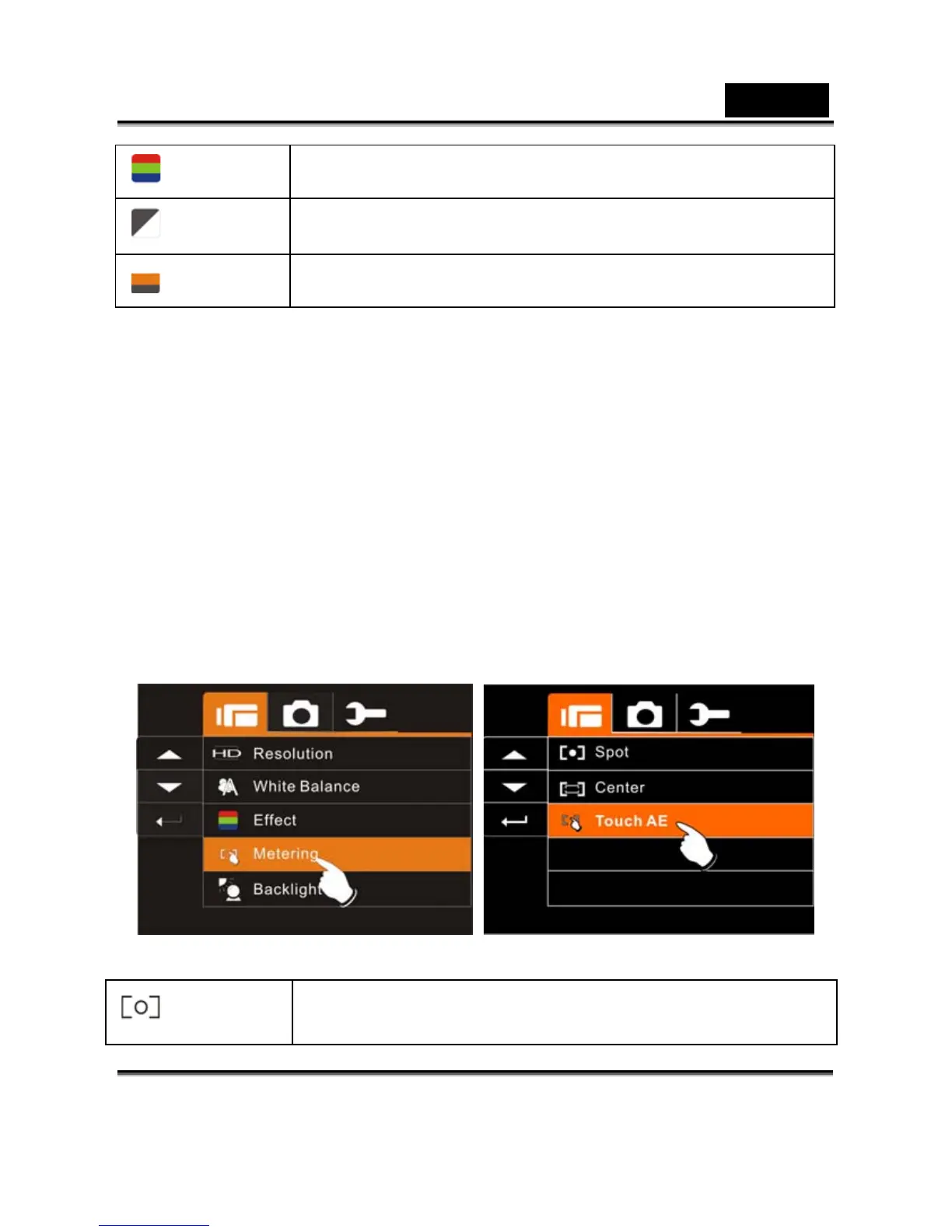
Metering
1. Press SET (Menu) Button and move the 4-Way Direction
Button to highlight the Metering item. Press SET (Menu)
Button to display submenu; or touch the screen to select the
item.
2. Press 4-Way Direction Button to select Spot, Center or Touch
AE. Press SET (Menu) Button to confirm; or touch the screen
to select the item.
Spot
This setting is to ensure correct exposure for the
object even if the background is very bright or



 To Next Page