English
-69-
Note: Repeat above steps to unlock the file. When the file is
unlocked, the locked icon will disappear.
Auto play
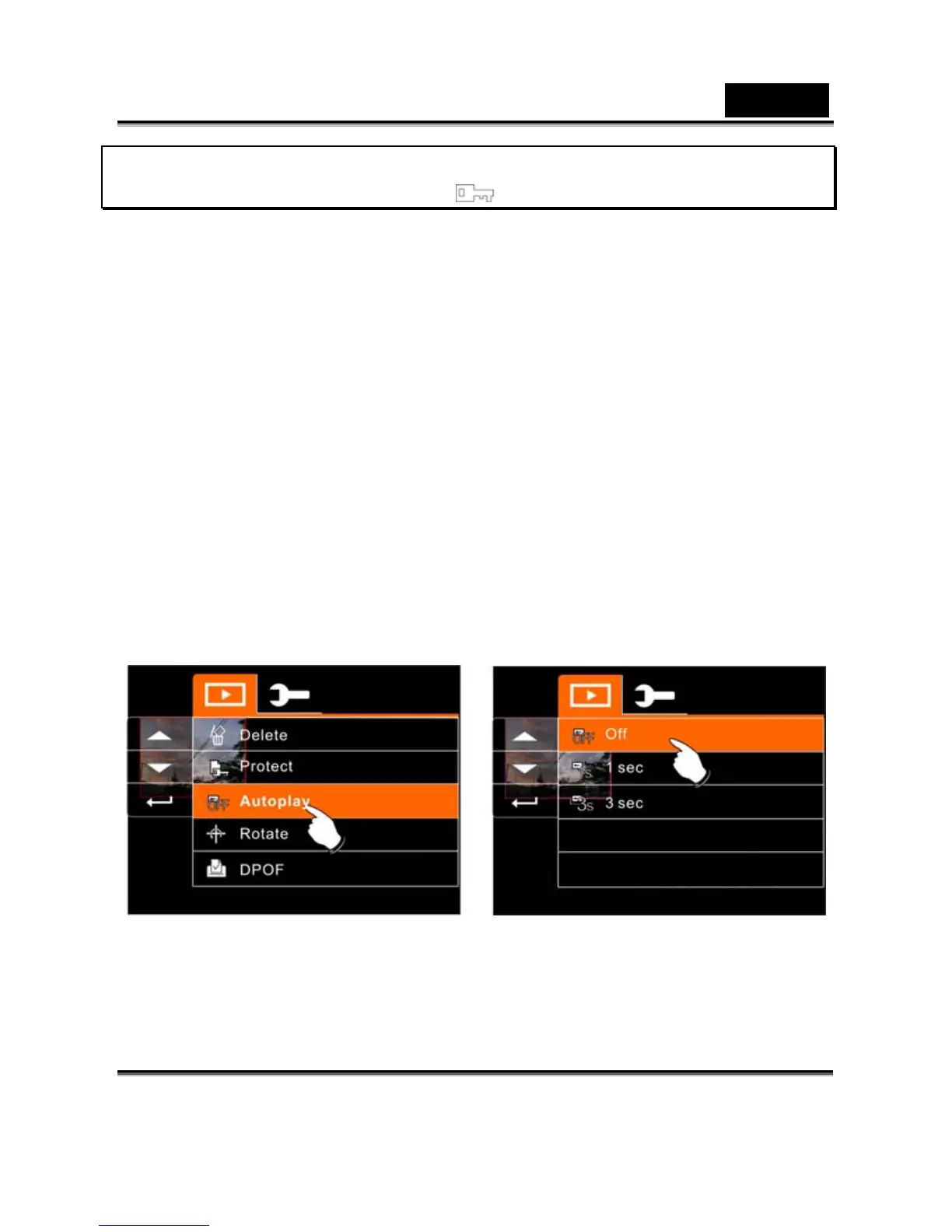
This Digital Video Camera includes a slide show function that could
playback each picture at a regular interval.
1. Turn on the power of Digital Video Camera and make sure
it is in the Playback Mode.
2. Press SET (Menu) Button and move the 4-Way Direction
Button to highlight the Auto play item. Press SET (Menu)
Button to display submenu; or touch the screen to select
the item.
3. Press 4-Way Direction Button or touch the screen to select
“Off”, 1sec., or “3 sec” , The images will be displayed
automatically.


 To Next Page