System Administration – E-mail
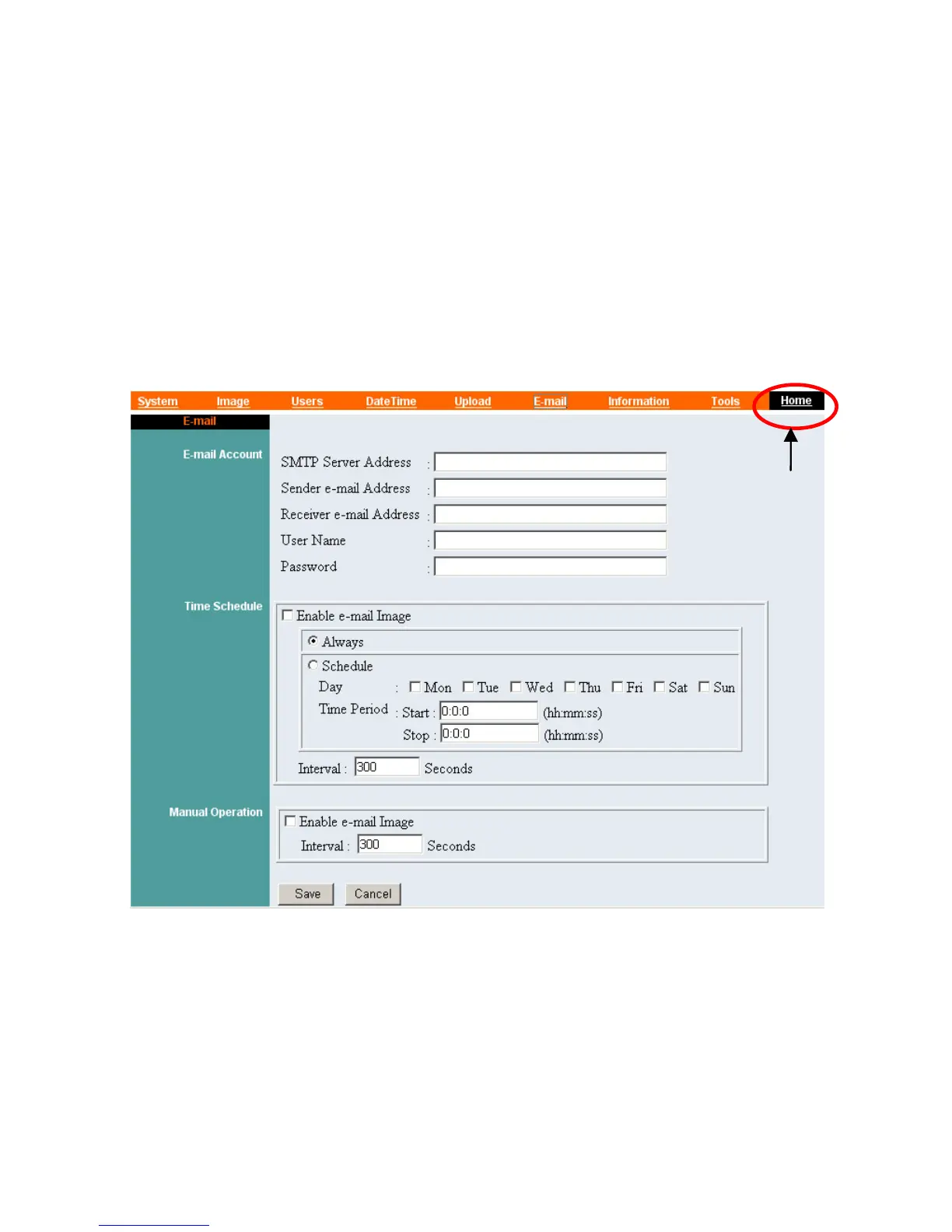
The E-mail menu contains the commands for E-mail account,
time schedule and manual operation settings.
Click “E-mail” in the system administration menu bar, and the
setting screen will appear as below:
Click “Home” to
return to Home Screen
Enter the relevant information, such as the SMPT Server Address,
Sender e-mail Address, Receiver e-mail Address, User Name and
Password.
41
Then active sending e-mail by selecting “Enable e-mail Image”
in enter “Time schedule” or “Manual Operation”.



 To Next Page