Note:
The Network must be reconfigured after a Factory Reset.
Once the configuration is completed, click “Home” to return to
the Welcome screen and select the desired Viewing Image either
through ActiveX Mode or Java Mode as described in the next
section.
Then, position the IPCam SECURE300 to the desired location
appropriately for your purpose. Followed by adjustment of the
IPCam SECURE300 focus, done manually by turning the lens
clockwise or anti-clockwise to the desire image quality. Please
refer to the appendix for detailed information regarding Adjust
IPCam SECURE300 Focus and Replacing the Lens.
View Image – ActiveX Mode
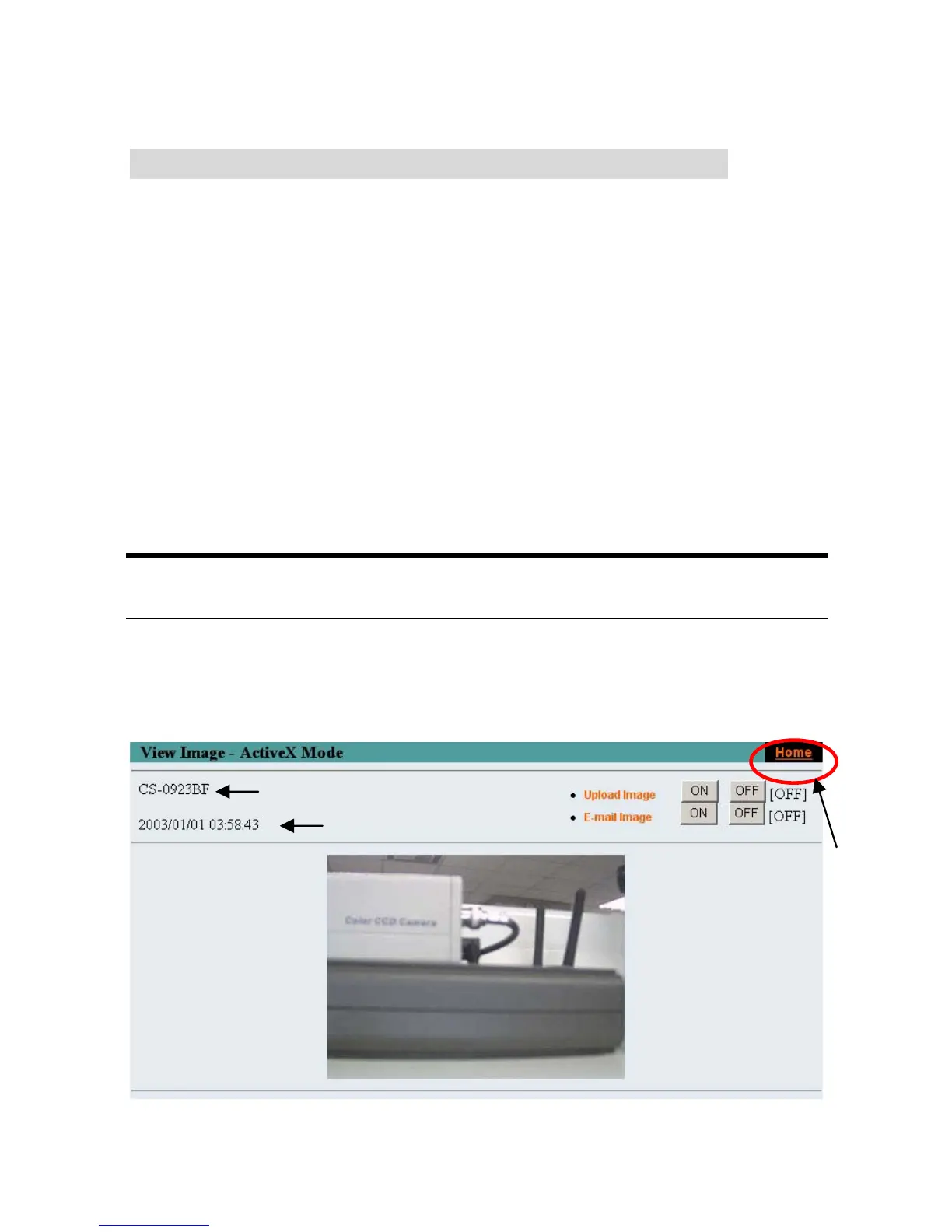
To view video images from the browser, click “View Image –
ActiveX Mode” from the welcome screen to access the video
images from Internet Explorer as illustrated below:
Camera Name*
Date Time***
Click “Home” to
return to Welcome
Screen
45



 To Next Page