Operator Manual
Programming 3.31 © Genmega 2011
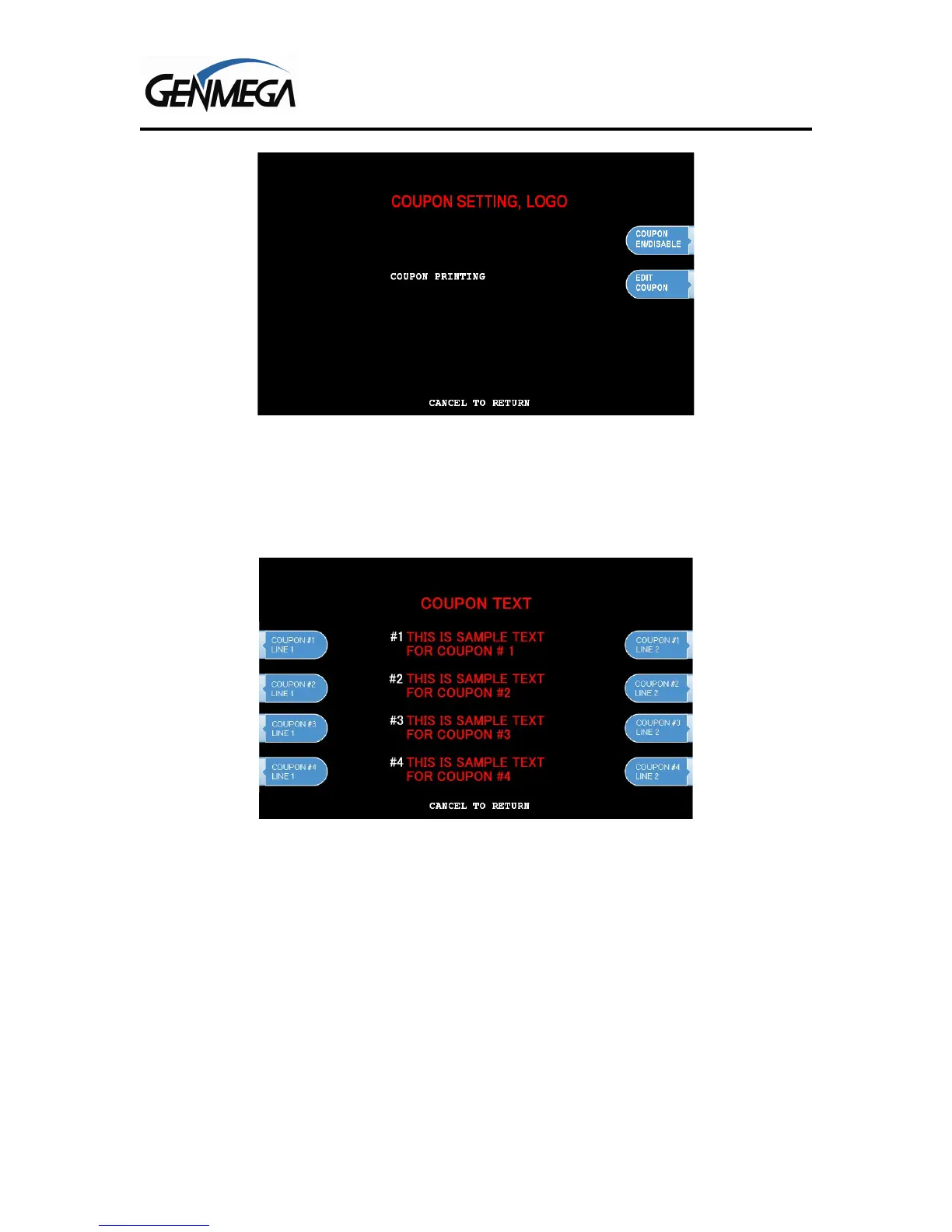
From the Customer Setup Menu, select the Coupon Setting, Logo Option. Note that only ATMs
with 3” printers support coupon logos. The G1900 model does not support this feature, only text
based coupons.
Select Enable to activate the coupon function.
Choose Edit Coupon to enter the text for each optional coupon. Choose Line 1 to edit the top line
and Line 2 to enter the bottom line for each coupon. If you leave the lines blank, then that
coupon will not print in the rotation


 To Next Page