TECHNICAL SUPPORT: 1.800.283.5936 (USA) OR 1.801.974.3760
G-WARE SOFTWARE • G-WARE MATRIX
34
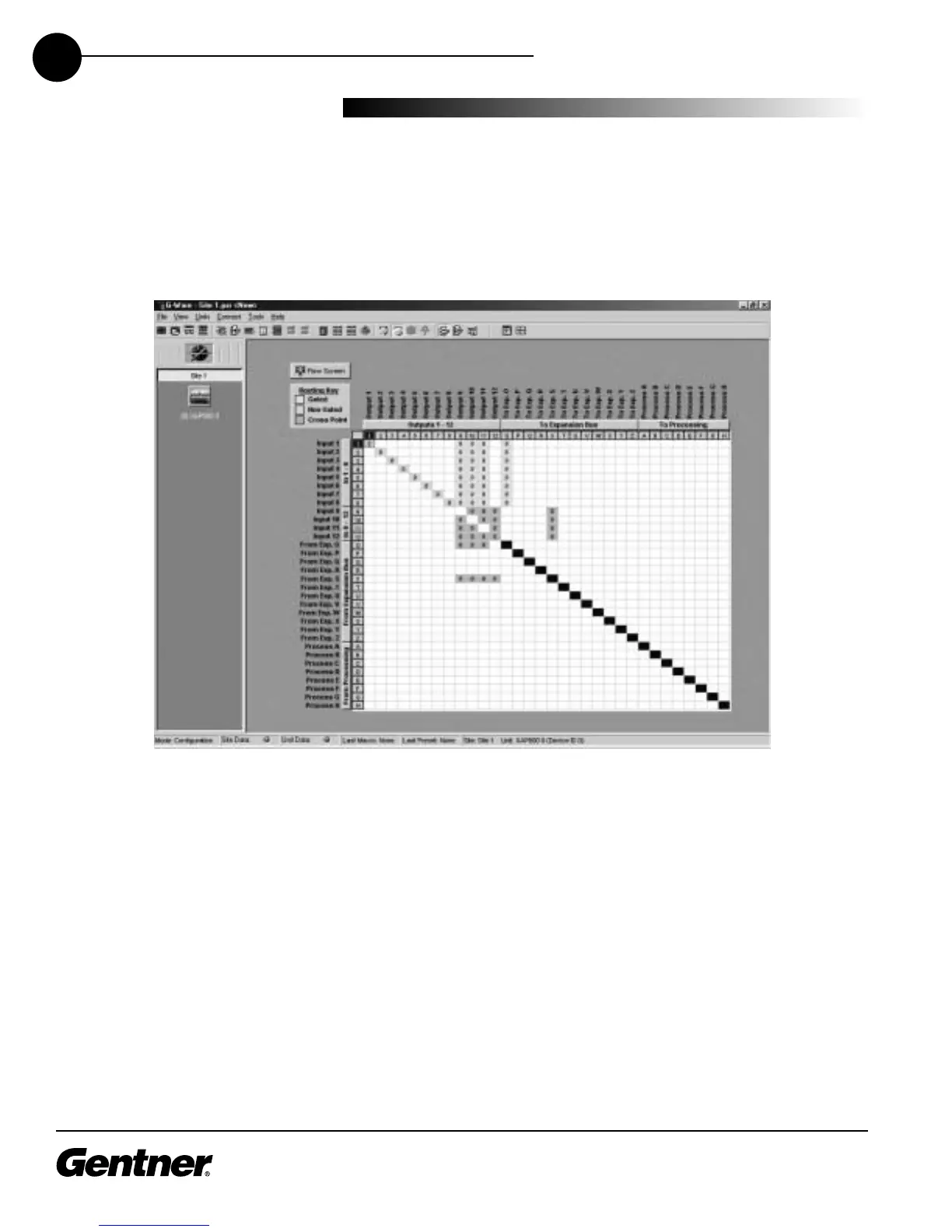
Click the Matrix button on the G-Ware Flow Screen. This opens the G-Ware
Configuration matrix window.
The G-Ware Configuration window is where you configure the routing and
adjustment of inputs, outputs, Expansion Buses, and processing buses.
Note that the C (for Configuration) button in the toolbar is selected.
G-Ware Matrix
G-Ware Configuration Matrix Window
Unit Data Light: This indicator illuminates in many windows of G-Ware to indicate the
status of the particular XAP 800 unit selected. It displays various colors, based on the
conditions listed below.
Site Data Light: This indicator illuminates various colors to indicate the status of a system
of linked XAP 800 units, based on the conditions listed below.
Solid Green: When the item being configured is synchronized with the hardware.
Solid Red: When the information being configured is saved in the hardware.
Flashing Red: When the information is not saved or there is no hardware connection.
Solid Yellow: When communications are pending.
Flashing Yellow: When there is a communication error. In this instance, you should
disconnect from the unit and reconnect. The Message Log will indicate the error that
occurred.



 To Next Page