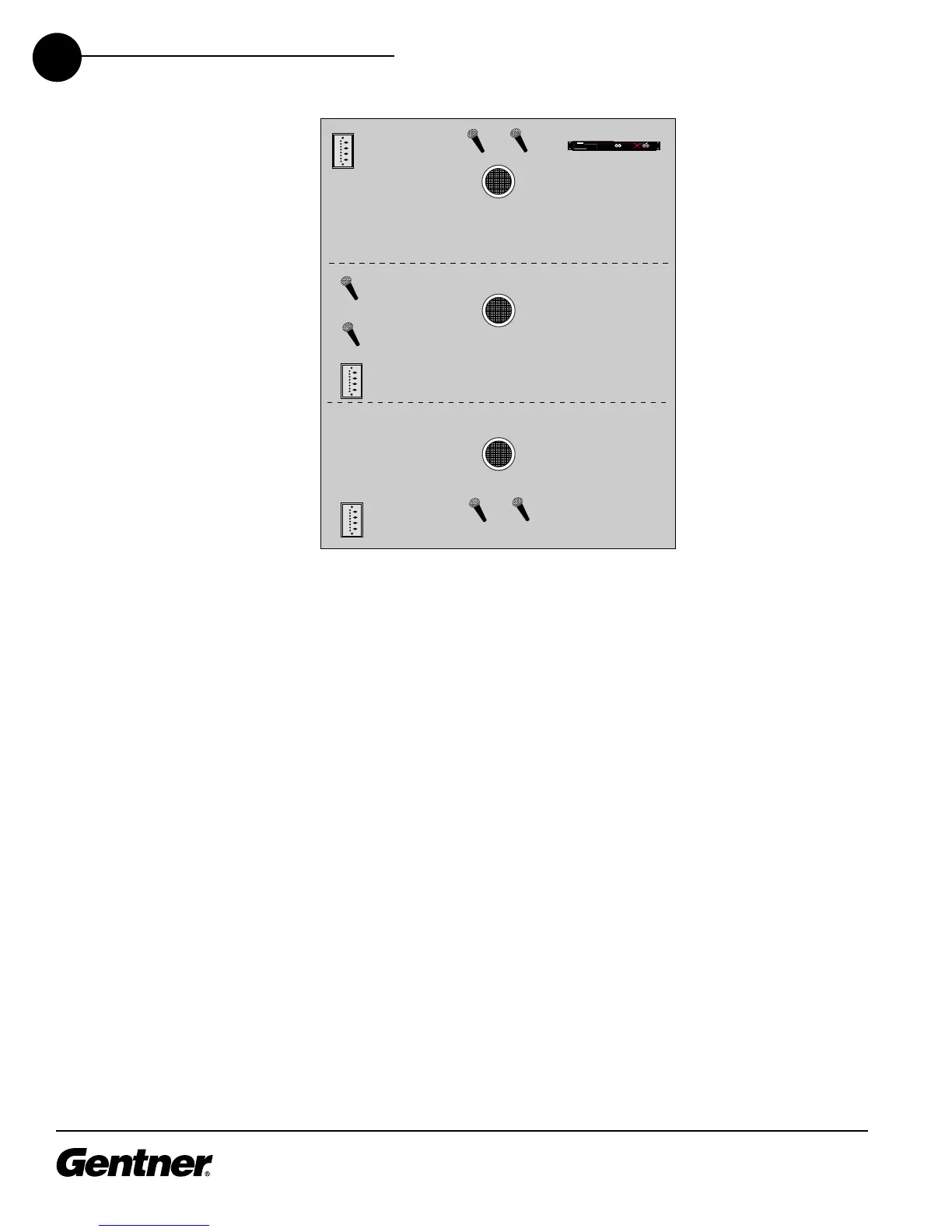
Multi-Conference Room
The Multi-Conference Room diagram above shows three rooms with removable
partitions separating the rooms. The XAP 800 can be pre-set to route microphone
audio to one room or any combination of rooms. For example, say all three rooms
are closed off for separate meetings; you can configure a preset to route the
microphone audio only to the speaker in the same room, with microphone gating
properties applied as desired. Then, say the divider between Rooms A and B is
removed for a combined meeting. You can use a preset that gates off microphones
3 and 4, while the audio from microphones 1 and 2 are routed to all speakers in
Rooms A and B—while retaining the settings for the ongoing meeting in Room C.
Later, when all partitions are removed for a final group meeting, you can use a
preset that gates on only microphones 1 and 2, but routes audio to all speakers.
The use of other audio sources can be configured using the XAP 800’s parametric
equalizers and filters to enhance audio quality. For example, a XAP TH1 Telephone
Interface or APV200-IP video codec could be used in each room for audio- or
videoconferencing capabilities (note the XAP TH1 in the diagram above).
After you have installed the XAP 800 unit and software, and made the necessary
connections, follow the steps below to set up the XAP 800 for this application.
Step 1. Establish a XAP 800 Site
In G-Ware software, establish a new XAP 800 site and then add the XAP 800 to the
site, as described on pages 21-24.



 To Next Page