TECHNICAL SUPPORT: 1.800.283.5936 (USA) OR 1.801.974.3760
APPENDIX C • CONTROL PANEL INSTALLATION
87
Appendix C: Control
Panel Installation
The optional Control Panels are available as the Volume Control Panel,
designed for remote volume control; and the Select Control Panel, for
remote source selection. Either fits inside a standard electrical wall box*.
The unit connects to either the Remote Panel A or B Phoenix connector of
the XAP 800, and works by triggering the execution of programmed
commands from the XAP 800. Each button on the control panel is
programmable to execute a single command or a series of commands.
Button function is programmed using G-Ware software that comes with the
XAP 800 (see Control Panel Builder on page 62 for more information).
Each Control Panel button can be programmed to respond like a
momentary or latching button. A command can be programmed to activate
or deactivate a particular function.
Step 1 Ensure you received a facia plate; a Control Panel assembly with
mounting bracket and two RS-485 Phoenix
™
four-pin connectors; two con-
nector terminator blocks; a faceplate; two flat HD screws; two pan-head
screws; and an electrical wall box. Refer to Figures 3, 4, and 5 for depictions
of these parts. If any parts are missing, please contact Gentner.
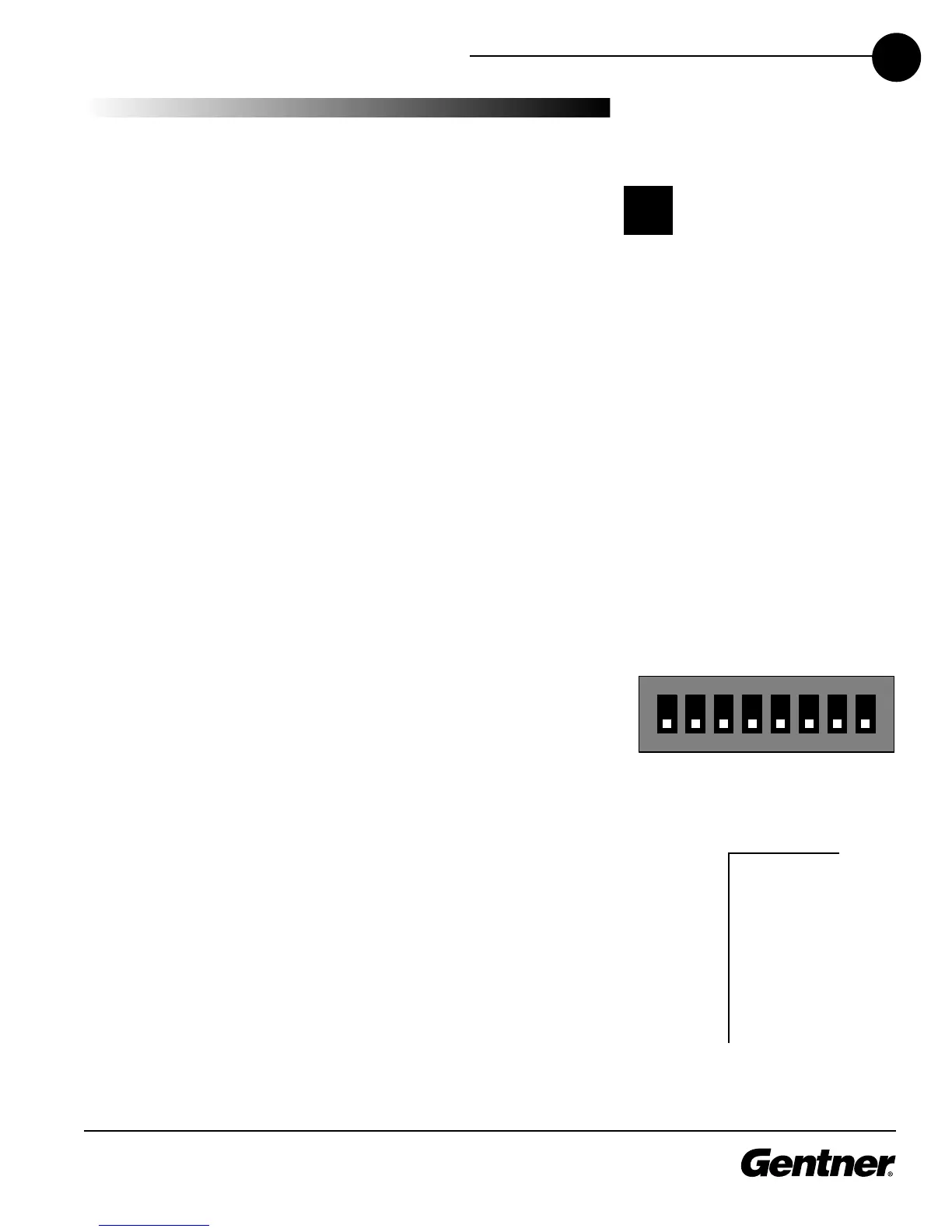
Step 2 Set the Control Panel DIP switches so each panel has a unique
address recognized by the XAP 800. DIP switch settings follow a binary pro-
tocol, using switches 1-4. Refer to Figure 2 for proper DIP switch settings. If
you set an invalid address, all LEDs on the Control Panel will illuminate. Set
switch 8 to ON if you are using just one Control Panel; if you are using
more than one Control Panel with a given rear-panel Remote Panel
Phoenix connector, set ONLY the LAST Control Panel’s DIP switch 8
to ON (multiple Control Panels on a XAP 800 Remote Panel connector
must be connected daisy-chain style). Switches 5-7 are nonfunctional.
Up to 12 Control Panels can be used with a XAP 800—up to six Control
Panels on each of the Remote Panel A and B rear-panel connectors. See the
distance chart on the next page for maximum distances.
Step 3 Turn off the XAP 800 unit if it is on.
Step 4 Plug a connector terminator block into one of the XAP 800’s
Remote Panel connectors. Next, connect a Cat 5 twisted-pair cable to the
connector terminator block. Referring to Figure 3, use one twisted wire pair
for the center - and + connections (pins 2 and 3) and the other twisted
pair for the ground and +15V connections (pins 1 and 4). Failure to do so
can result in incorrect control and status due to crosstalk.
This equipment must be
installed according to
applicable local electri-
cal codes.
!
This equipment complies with the requirements of
the European guidelines: 89/336/EEC
"Electromagnetic Compatibility" and 93/68/EEC
"Electrical operating material for use within specif-
ic voltage limits."
This device complies with part 15 of the FCC rules.
Operation is subject to the following two condi-
tions: (1) This device may not cause harmful inter-
ference, and (2) This device must accept any inter-
ference received, including interference that may
cause undesired operation.
*The Gentner Control Panel must not be used with
an AC power switch or plug in the same box.



 To Next Page