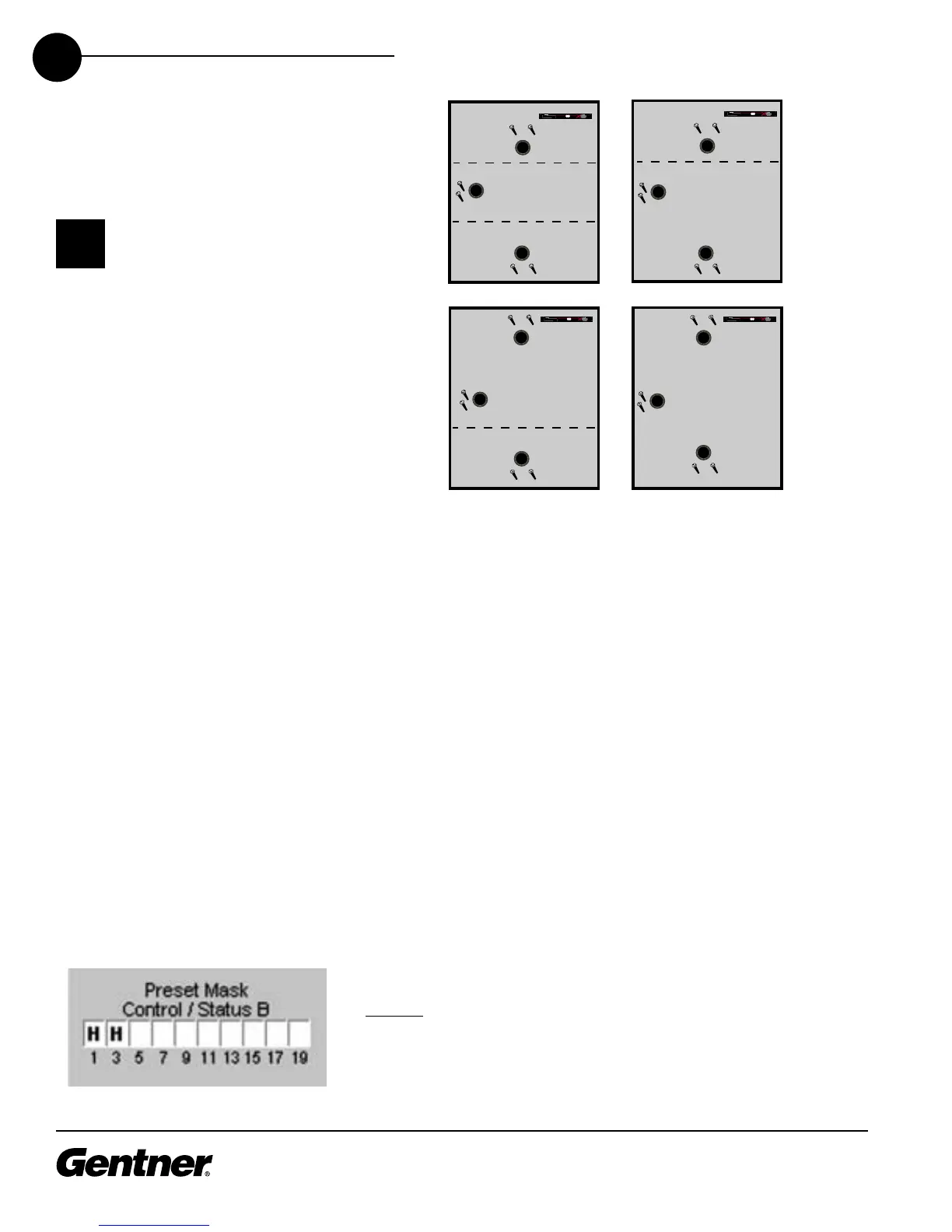
Room-Combining Scenarios
P1, P2, etc. represent pre-
sets established for each
room in the system. S1 and
S2 represent switches 1 and 2 for
the wall partitions.
✍
To accommodate all six configurations, two removable wall partitions
are used. For Preset 1 (P1), Removable Partition 1 is connected, via
Switch 1 (an automatic switch), to Pin 1 of the Control/Status Port B.
The automatic switch enables/disables presets depending on if the
partition is open or closed. Or, you can use a manual switch, connected
to Pin 1 and located on the wall near the partition. The Gentner Control
Panel is ideal for this. Click the Preset Mask Pin 1 setting to H (high) for
when the partition is closed, and L (low) for when the partition is open.
This enables/disables Preset 1 based on the position of the partition.
Room A contains Microphones 1 and 2, as well as Speaker 1 and a XAP
TH1 telephone interface. In the Preset Configuration matrix, route the
appropriate inputs to the appropriate output, such that Mics 1 and 2
route to Speaker 1 or the XAP TH1. Set other cross point and gating
parameters as desired in the matrix. See Preset Mode on page 57 for
more information about how to set these parameters.
Continue configuring Preset 1 by establishing the Change Preset Label,
Mixer Controls, etc. as desired in the Preset Sidebar window. These
functions are described in detail in the Preset Mode section, starting on
page 57.
Preset 2
Begin by selecting 2 in the Preset Selection menu.
Preset 2, which is for Room B, is set up much like Preset 1 is, with some
key differences. For Preset 2, Switch 1 (Preset Mask) is still set to High
Pin Assignment for Preset 2



 To Next Page