Press the appropriate menu key to select the required filter option and enter the filter data.
Select the ‘Accept’ button to confirm the filter selection.
Go to
The ‘Go to’ function enables the operator to view the first, last or specific number of reading stored.
From the ‘Main Read Screen’ press the ‘Menu’ key on the instrument panel.
Press ‘Key 4 - View Data’.
To clear the readings press the soft-key ‘More’ followed by ‘Key 3 - Goto’.
Select either ‘First’, ‘Last’ or ‘Num’. If ‘First’ or ‘Last’ is selected the appropriate data will be
displayed.
If ‘Num’ is selected the operator is prompted to enter the data reading number followed by the
‘Accept’ button to confirm the selection.
Diagnostics
The ‘Diagnostics’ option enables QED Technical Support to identify and resolve issues with the
instrument and readings. If required, the operator may be asked to confirm the diagnostics displayed.
From the ‘Main Read Screen’ press the ‘Menu’ key on the instrument panel.
Press ‘Key 5’ to view diagnostics.
Note: For further information contact Technical Support at QED on +44(0)330 800 0088 or email
technical@qedenv.co.uk.
Monitor (G200 ONLY)
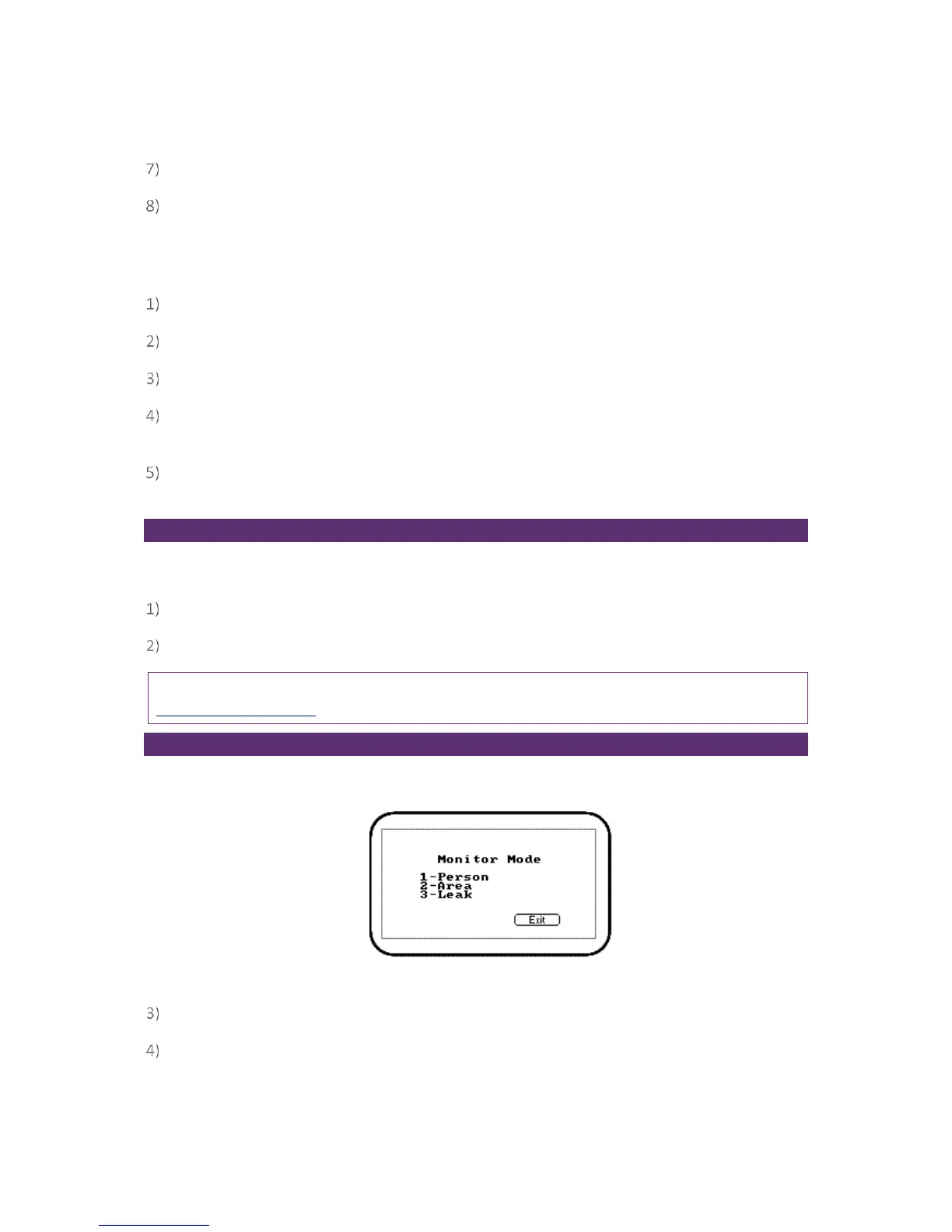
The ‘Monitor’ option enables the operator of a G200 instrument to choose from the following three
monitoring modes.
Screen 18 - Monitor mode
From the ‘Main Read Screen’ press the ‘Menu’ key on the instrument panel.
Press ‘Key 6’ followed by the relevant option key to select the required monitoring mode.



 To Next Page