10
VESA Monitor Mount
For VESA monitor mount, you need to purchase VESA Monitor mount kit.
1. Follow steps 1 and 2 in Wall Mount Installation to install the L-type brackets on the back
panel of GV-IP Decoder Box.
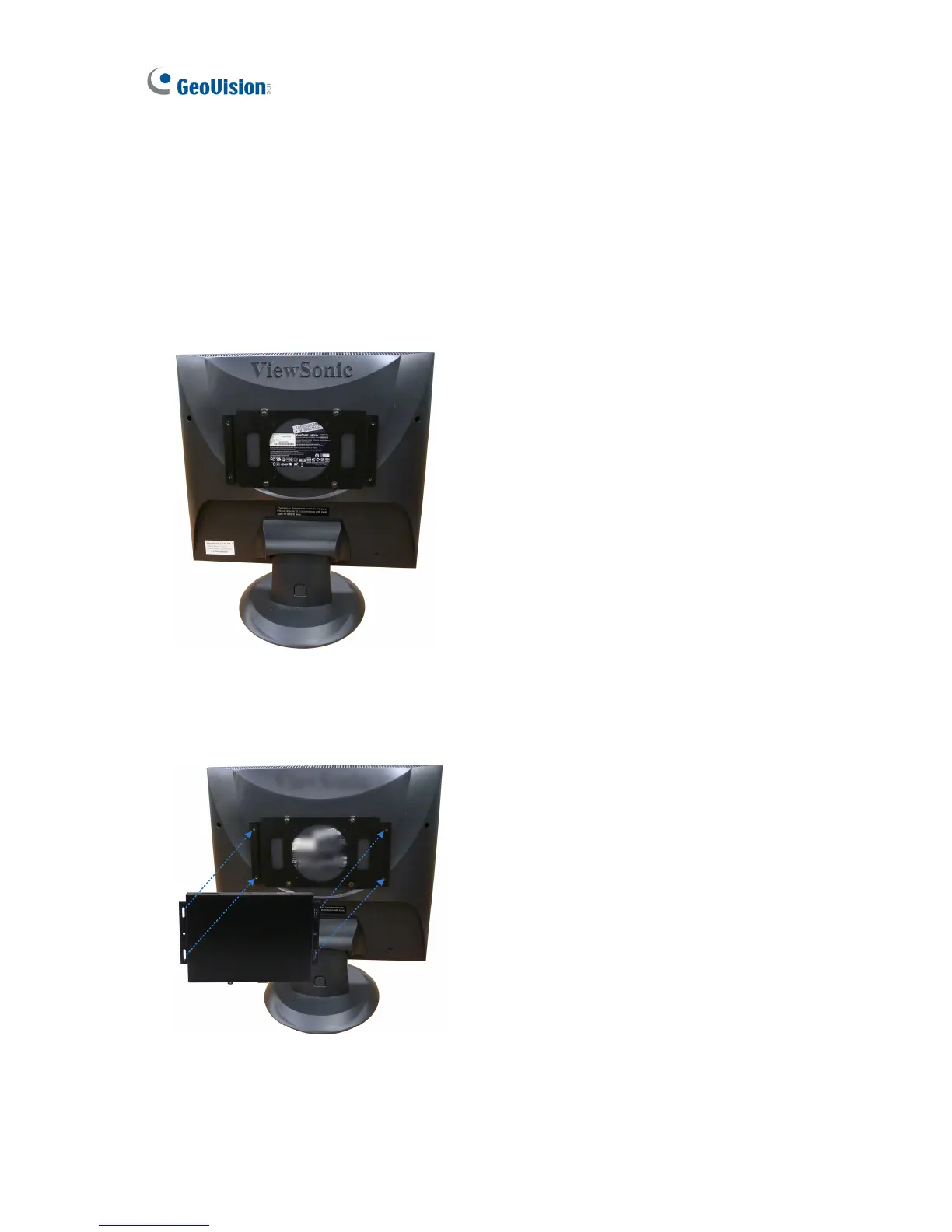
2. Attach the VESA monitor mount bracket on the back of the computer monitor with 4 large
screws.
Figure 2-3
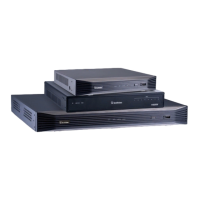
3. Secure the GV-IP Decoder Box with the VESA monitor mount bracket together with 4
small screws.
Figure 2-4



 To Next Page