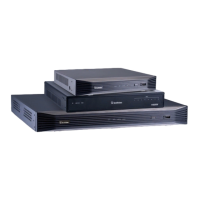
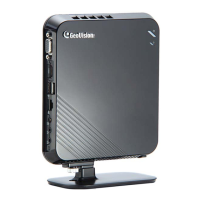
Need help?
Do you have a question about the GeoVision GV-IP Decoder Box Series and is the answer not in the manual?
Guides on installing the GV-IP Decoder Box Series on a wall or desk.
Step-by-step instructions for connecting the GV-IP Decoder Box Series.
Step-by-step instructions for connecting the GV-Pad Mini.
Details how to configure network settings, including static IP addresses.
Describes how to search for and add IP devices using automatic search.
How to view live camera feeds and access basic controls.
Procedures for updating device firmware via storage or utility.
Methods to restore the device to its original factory default settings.
 General
| Model | GV-IP Decoder Box Series |
|---|---|
| Category | Digital Camera |
| Power Supply | DC 12V |
| Audio Output | Yes |
| Operating System | Embedded Linux |
| Video Decoding | H.264, MJPEG |
| Video Output | HDMI |
| Number of Channels | 1, 4, 16 |
| Network Interface | 10/100 Ethernet |
| Dimensions | Varies by model |
| Output Resolution | 1920 x 1080 (1080P), 1280 x 720 (720P) |

 To Next Page