Getting Started
11
2
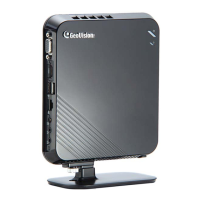
2.2 Connecting the GV-IP Decoder Box
Follow the steps below to connect the GV-IP Decoder Box:
Figure 2-5
1. Connect a display device to VGA connector or High Definition connector for video output.
2. Connect to a standard network cable.
3. Connect to power using the supplied power adapter.
4. Turn the Power switch to ON.
Note:
1. You can only connect the GV-IP Decoder Box to one display device through the High
Definition or VGA connector.
2. The default video output is set to VGA with 1024 x 768 resolutions. If you use a High
Definition monitor, be sure to change the output type. To change the default setting or
configure the output type, see 3.5 Configuring the Account, Storage and Output Type.



 To Next Page