28
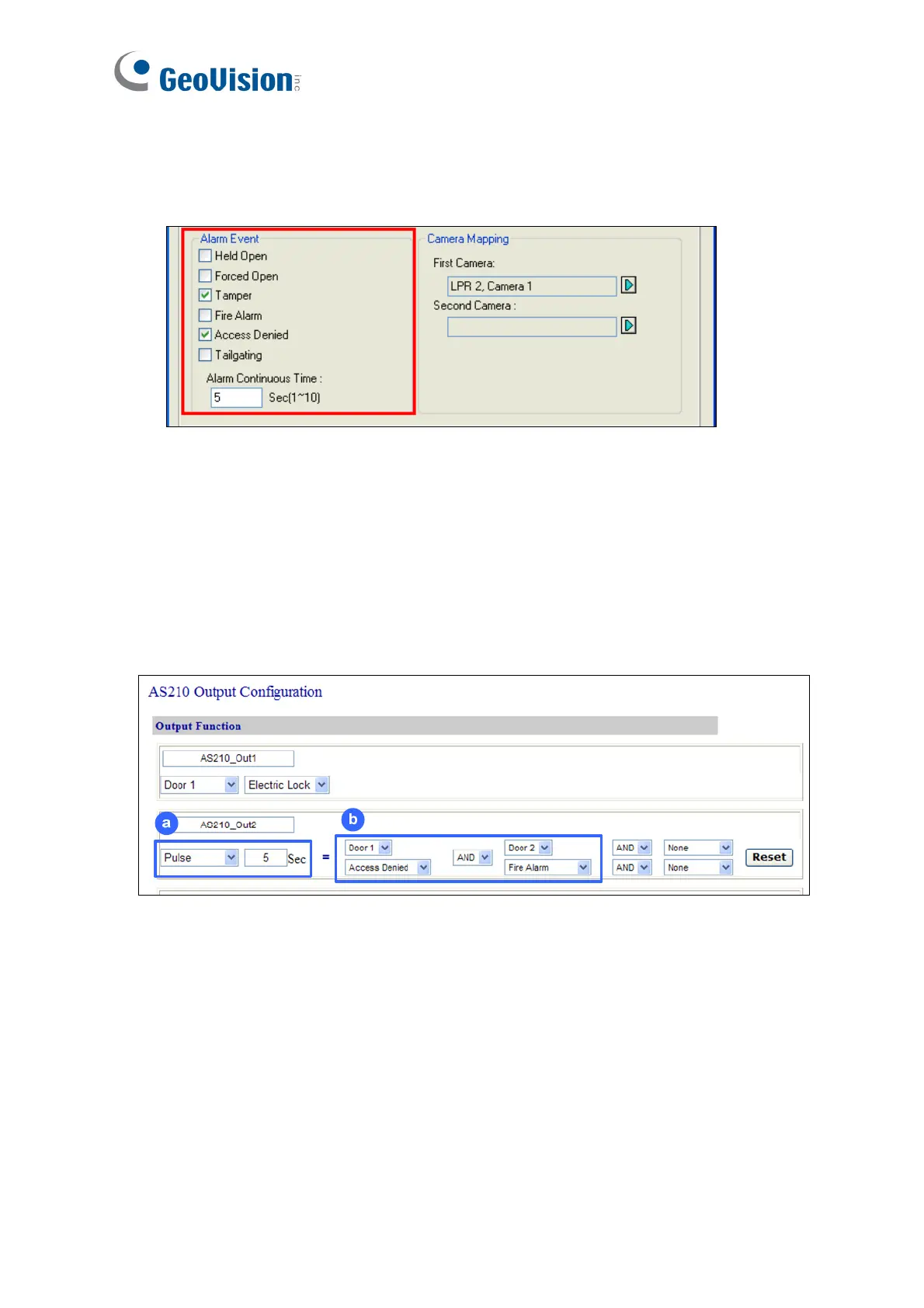
After wiring, you also need to go to GV-ASManager to select the alarm conditions that will set
off the reader’s beeper. In GV-ASManager, right-click the GV-AS Controller in the device list,
click Settings, and click the Door / Gate tab to select the alarm conditions.
2.6.3 Configuring the Beeper and LED Settings for Each Door/Gate
After connecting the wires for beeper or LED, specify the conditions to trigger the beeper and
LED on the GV-AS210 / 2110 / 2120 / 410 / 4110 / 810 / 8110 Web interface.
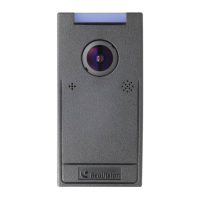
1. On the controller Web interface, click Output Setting. The page below appears.
2. Find the output wired to the beeper or LED and specify up to 2 alarm conditions to set off
the beeper or LED.
a. Output Type: Select Normal, Toggle or Pulse. If you select Pulse, you can specify
the number of seconds to trigger the beeper or LED.
b. Output Conditions: Select the door and the alarm conditions to trigger the beeper
or LED. Up to 2 sets of output conditions can be set.
3. Click Submit.


 To Next Page