Bedienungsanleitung /
Manual
► Stecken Sie ein weiteres Kabel in die Ausgangsbuchse der ersten
AE und in die Eingangsbuchse der zweiten AE.
► Wiederholen Sie den Vorgang bis alle AE des Kanals auf diese
Weise mit einander verbunden sind.
► Put a second cable into the XLR 4 out of the first release unit and
into the XLR 4 in of the second release unit.
► Repeat this process until all release unit of the channel are con-
nected in this way.
4.3.2 Endstecker / Termination plug
Ein Endstecker ist nur bei Kanälen notwendig, die über G-Frame
gesteuert werden.
Montage des Endsteckers
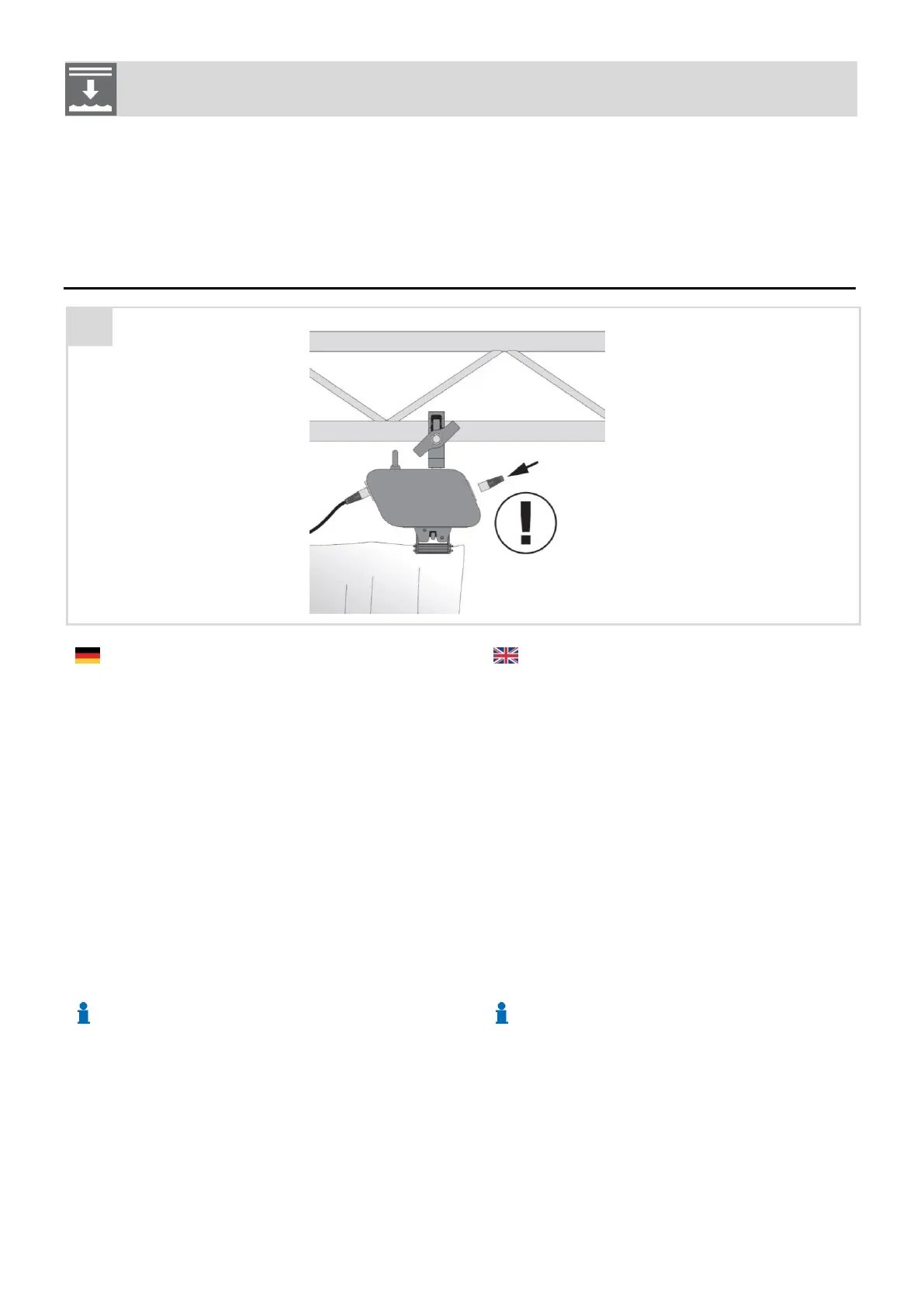
► Stecken Sie den Endstecker in den Ausgang der letzten Auslö-
seeinheit eines Kanals.
► Bei jedem nicht verwendeten Kreis der Steuerung stecken Sie den
Endstecker direkt in den entsprechenden Ausgang der Steuerung.
A termination plug is needed on channels, which are controlled via
G-FRAME
Mounting the termination plug
► Put the termination plug into the out socket of the last release unit
of a channel.
► When you are not using a channel of the control, put the termination
plug directly into the channel out of the control.
Der Endstecker ermöglicht eine Rückmeldung an die Steuerung, ob
alle Kabel korrekt verbunden sind und der Kreis geschlossen ist.
The termination plug gives a feedback to the control, if all cables
are correctly connected and the circuit is closed.
Wird der Endstecker nicht gesteckt, erhält die Steuerung keine
Rückmeldung über den Zustand der Verbindungen.
If the termination plug is not put, the control will not receive a feed-
back on the status of the connections.
Ein korrekt verkabeltes System, das wegen eines fehlenden End-
steckers eine Störung anzeigt kann trotzdem voll funktionsfähig
sein
A correctly cabled system, which shows an error because of a miss-
ing termination plug nevertheless can be fully functional.



 To Next Page