11
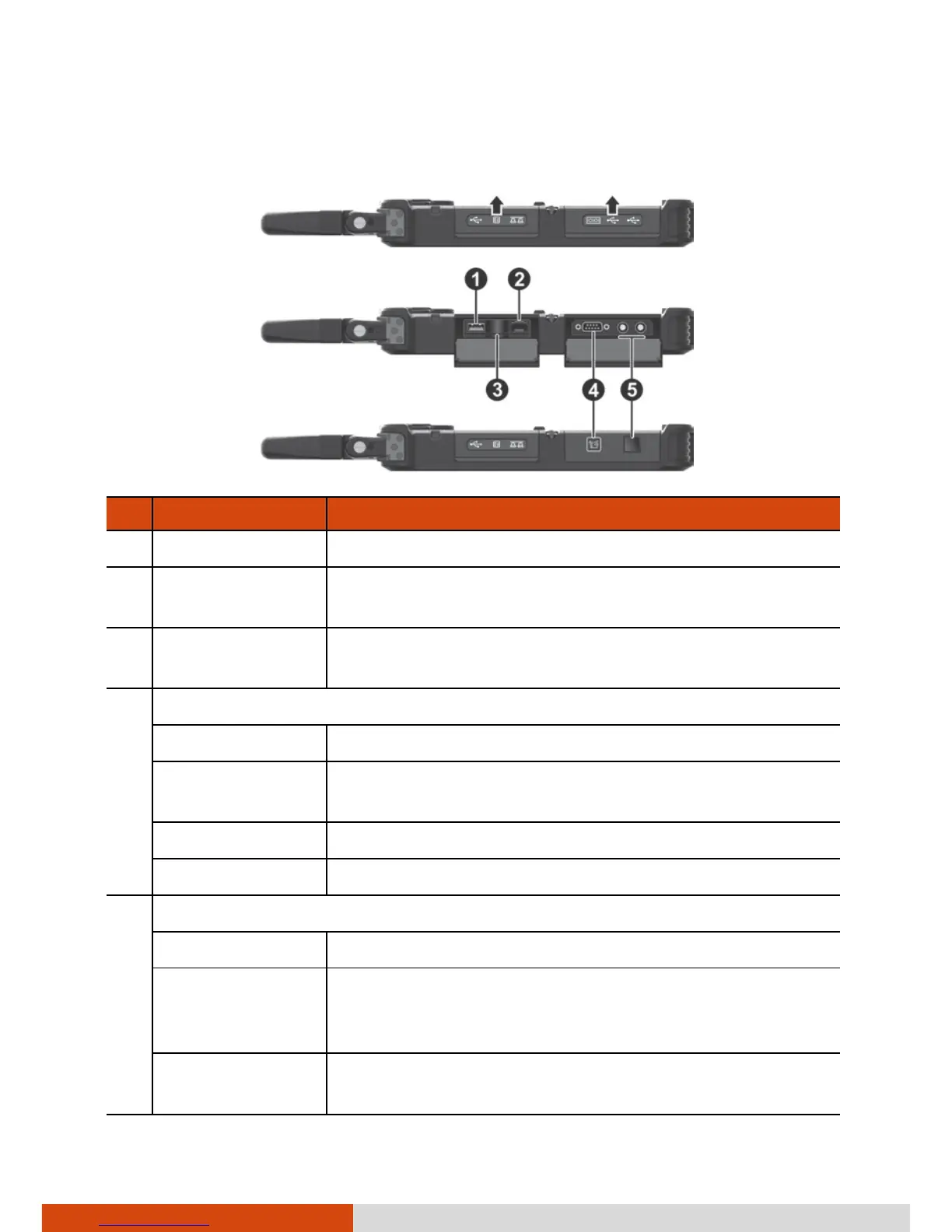
Right-Side Components
Ref
Component Description
USB 2.0 port Connects a USB device.
RJ-45 connector
(LAN2)
Connects the LAN cable.
Smart card
Reader
Accepts a smart card for additional security feature.
Depending on the model, the component can be one of the following:
None
RS232 serial
connector
Connects a serial mouse o r serial communication
device.
VGA connector
Connects an external display monitor.
NFC/RFID reader
Reads data from NFC/RFID tags.
Depending on the model, the component can be one of the following:
None
Rugged USB
connector (x 1
or x 2)
Connects a USB device that supports Fischer DBPU 7
pin connection.
Fingerprint
scanner
Serves as the fingerprint verification, preventing
unauthorized access to your Tablet PC.
Slide up to open the protective cover.



 To Next Page