43
Using Storage and Expansion
Cards
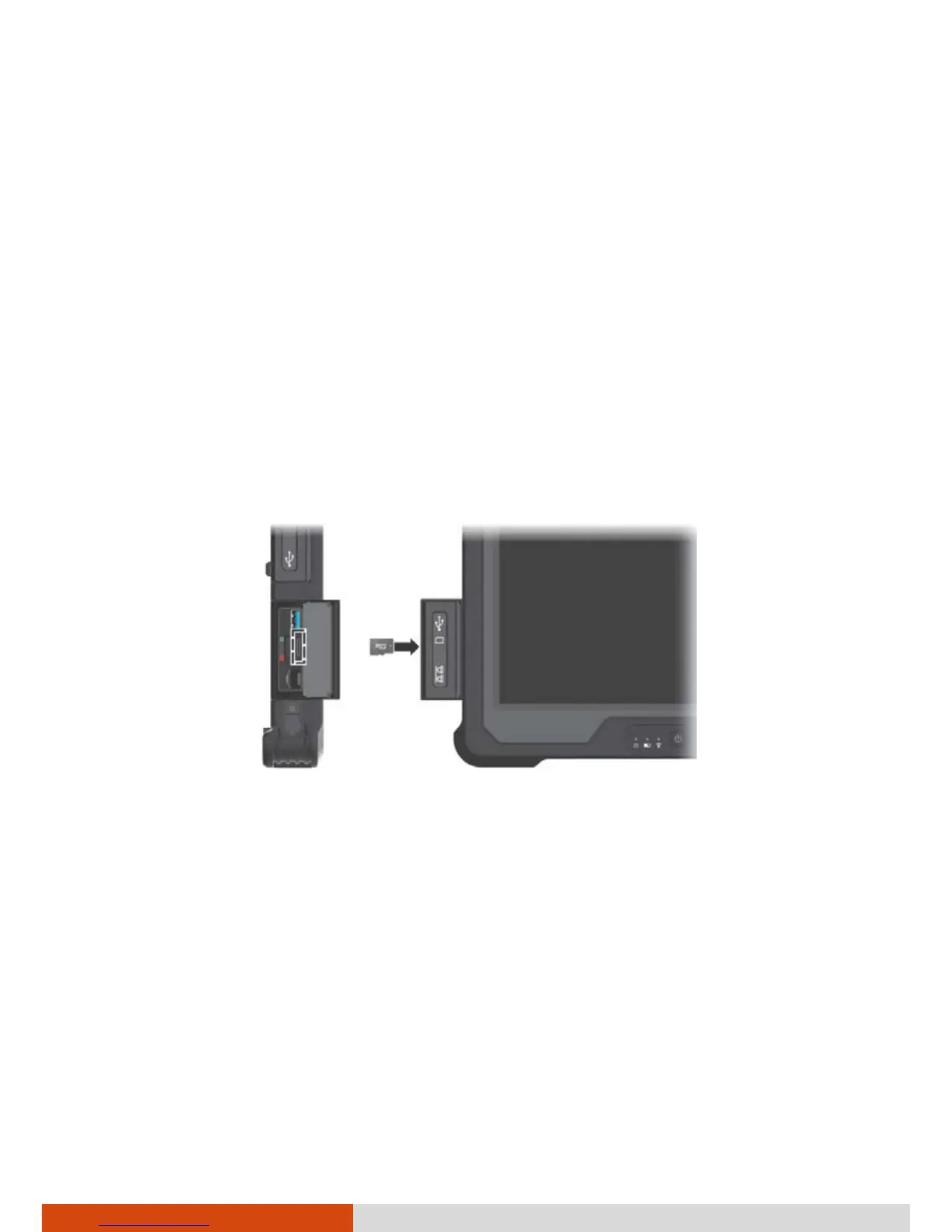
Using MicroSD Cards
Your computer has a storage card reader for reading from and writing to
removable storage cards (or called memory cards). The reader supports
microSD (Secure Digital) and microSDHC (Secure Digital High Capacity) cards.
To insert a storage card:
1. Locate the microSD card reader. Open the cover.
2. Align the card with its connector pointing to the slot and the connector
side facing back. Slide the card into the slot until it reaches the end.
3. Close the cover.
4. Windows will detect the card and assign it a drive name.
To remove a storage card:
1. Open File Explorer and click Computer.
2. Right-click the drive with the card and select Eject.
3. Open the cover.
4. Slightly push the card to release and then pull it out of the slot.
5. Close the cover.



 To Next Page