41
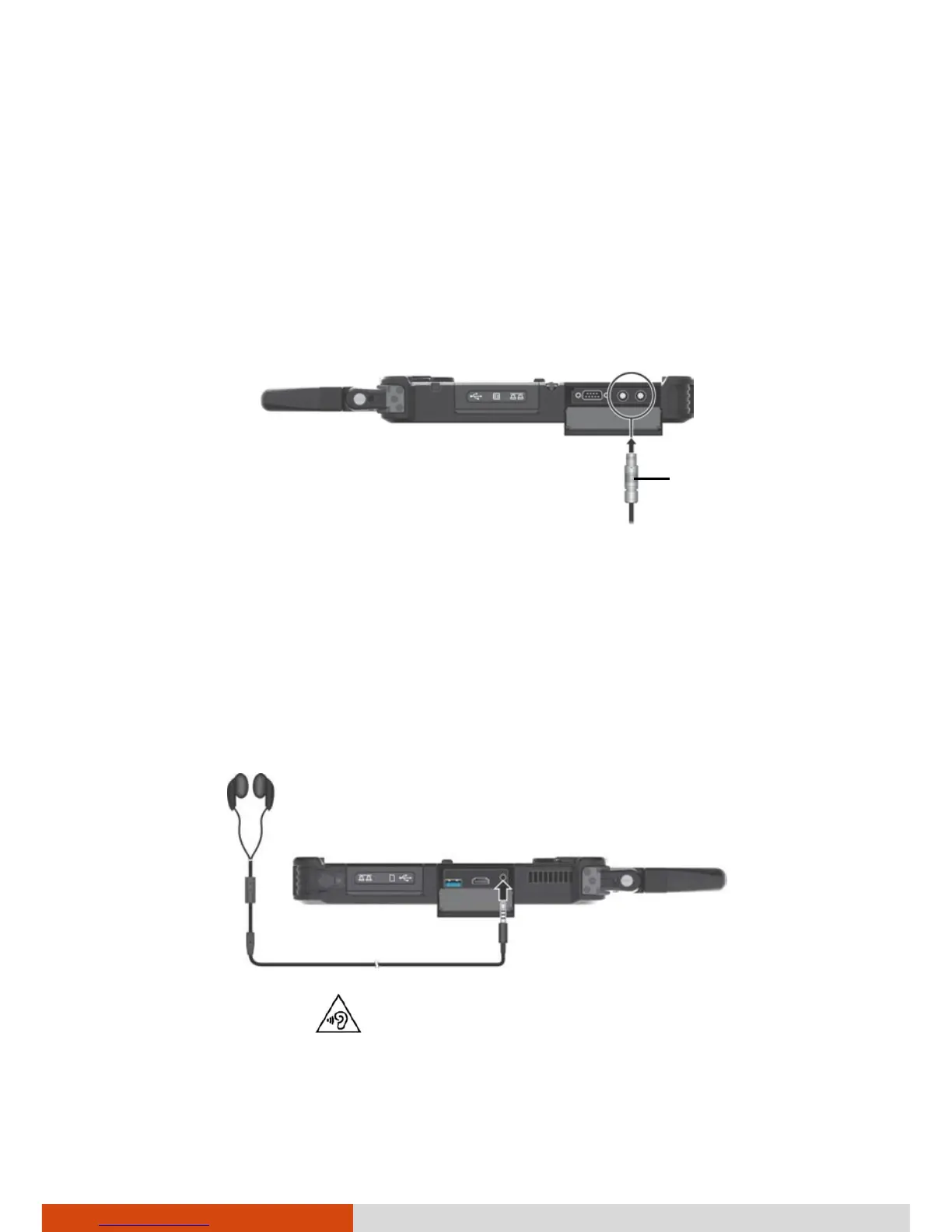
Connecting a USB Device with Fischer
Connectors (Optional)
Select models have one or two USB connectors of DBPU 7 pin type, which is a
Fischer push-pull locking system. You can connect a USB device supporting
this type of connection. Typical applications are military and security services.
1. Align the dot on the cable with the dot on the Tablet PC.
2. Push the outer sleeve and then plug the connector.
Once connected, a special locking mechanism will prevent accidental
disconnection. To disconnect, push the outer sleeve to unlock and then pull
the connector out.
Connecting an Audio Device
The audio combo connector is the “4-pole TRRS 3.5mm” type (Apple iPhone
Recessed) so you can connect a compatible headset microphone.
SAFETY WARNING:
To prevent possible hearing damage, do not listen at high volume levels for
long periods.
Outer sleeve



 To Next Page