23
Using the WWAN Feature (Optional)
A WWAN (Wireless Wide Area Network) uses mobile telecommunication
cellular network technologies to transfer data. The WWAN module of your
Tablet PC supports 3G and 4G LTE.
NOTE:
Your model only supports data transmission. Voice transmission is not
supported.
For instructions on installing the SIM card, see “Installing the Micro-SIM
Card (Optional) and Battery Packs” in Chapter 1.
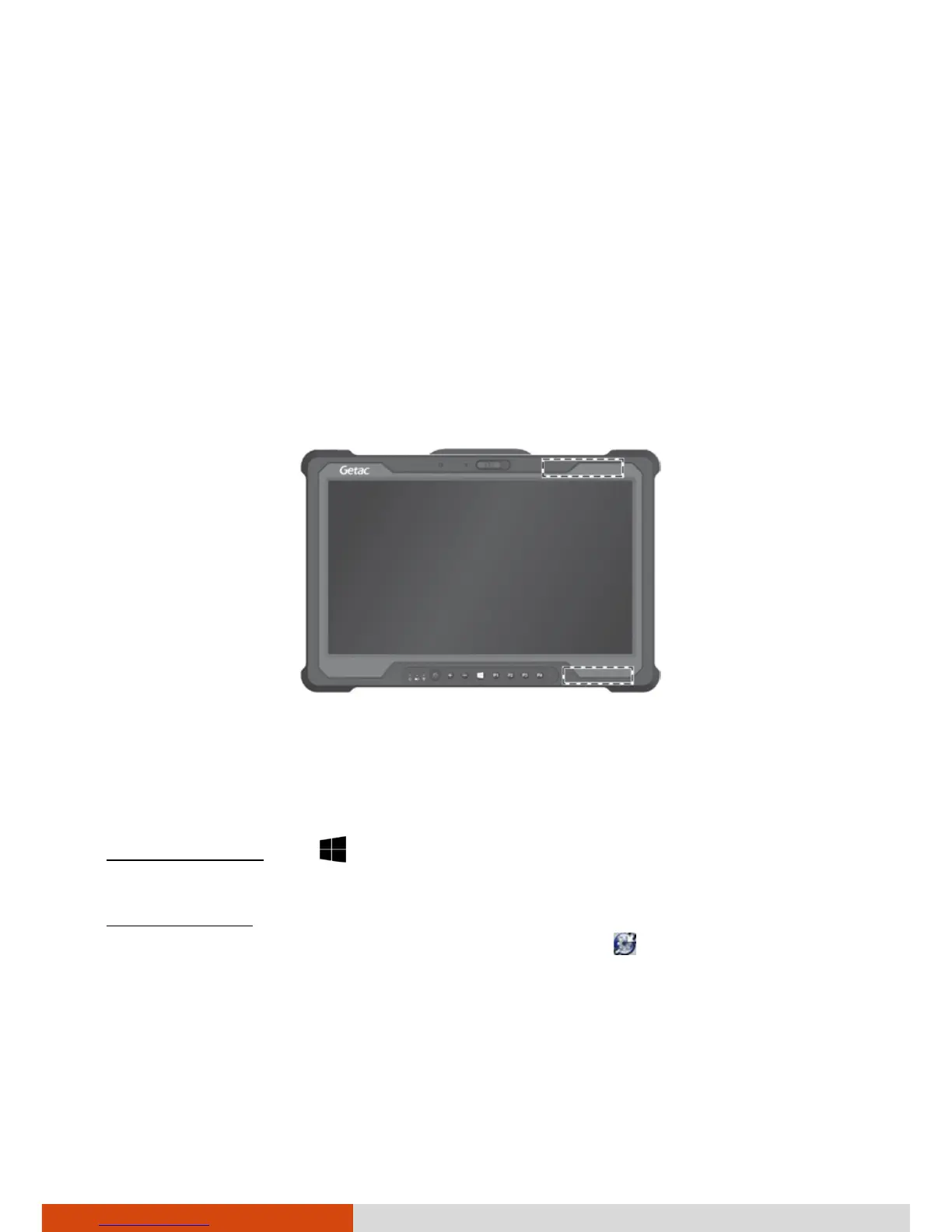
Do not block the antenna area.
Turning On/Off the WWAN Radio
To turn on the WWAN radio:
For Windows 10: Tap Settings Network & Internet Airplane
mode. Slide the Cellular switch to the On position.
For Windows 7: Use the WWAN utility software or Getac Quick Bar. To open
Getac Quick Bar, tap and hold the Getac Utility icon on Windows taskbar
and select Quick Bar. Tap the WWAN button in the Quick Bar (an X over the
button means the radio is currently off).
WWAN main antenna
WWAN auxiliary antenna



 To Next Page