36
Replacing the Battery Pack
CAUTION:
There is danger of explosion if the battery is incorrectly replaced.
Replace the battery only with the Tablet PC manufacturer’s battery
packs. Discard used batteries according to the dealer’s instructions.
Do not attempt to disassemble the battery pack.
NOTE: You can hot swap one battery pack while the other one is supplying
the power.
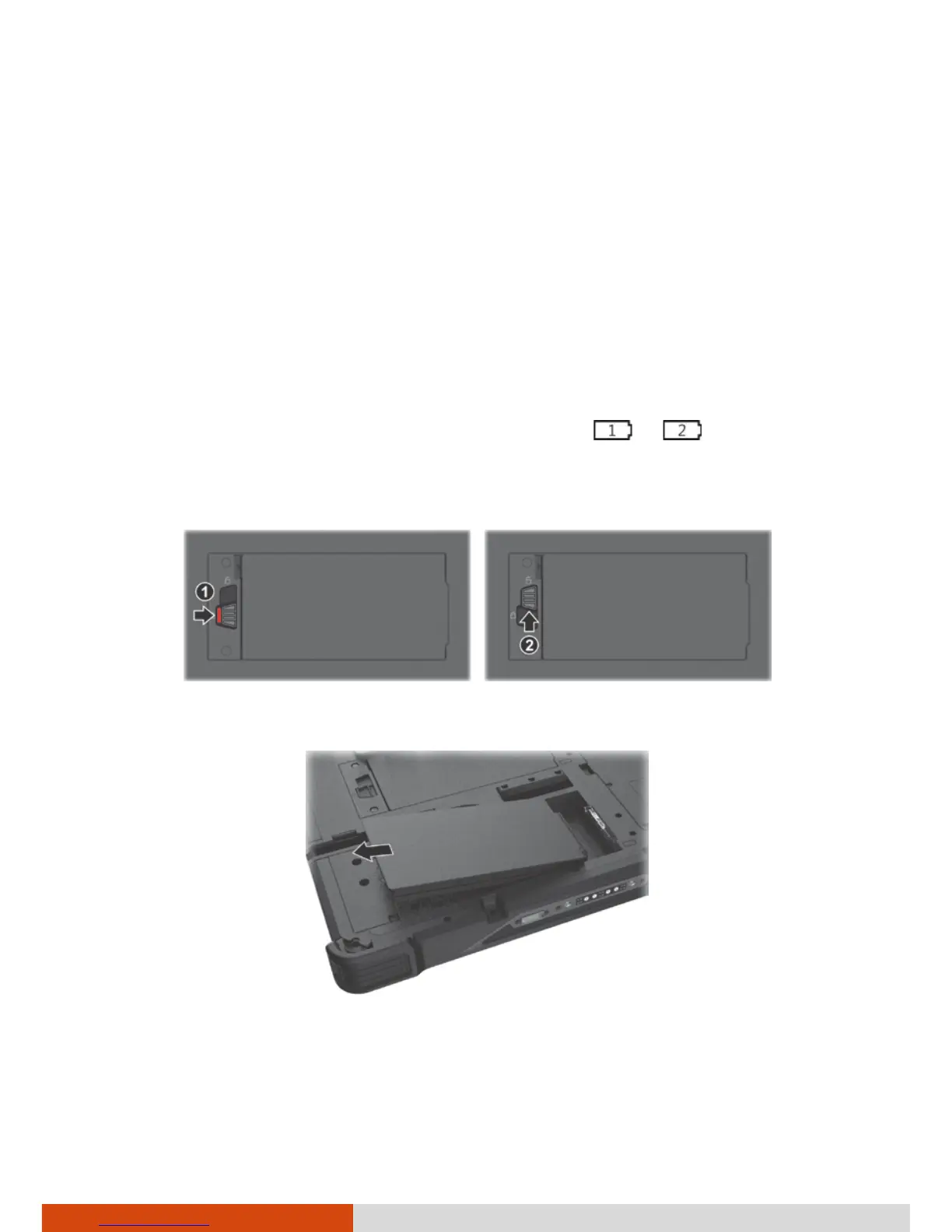
To replace the battery pack, follow these steps:
1. Locate the battery pack you want to remove ( or ).
2. Slide the battery latch toward the right (
) and then upwards (
) to
release the battery pack.
3. Remove the battery pack from its compartment.
4. Fit another battery pack into place. With the battery pack correctly
oriented, attach its connector side to the battery compartment at an
angle (
) and then press down the other side (
).



 To Next Page