3
NOTE: To remove the micro-SIM card, just push in the card to release it and
then pull it out.
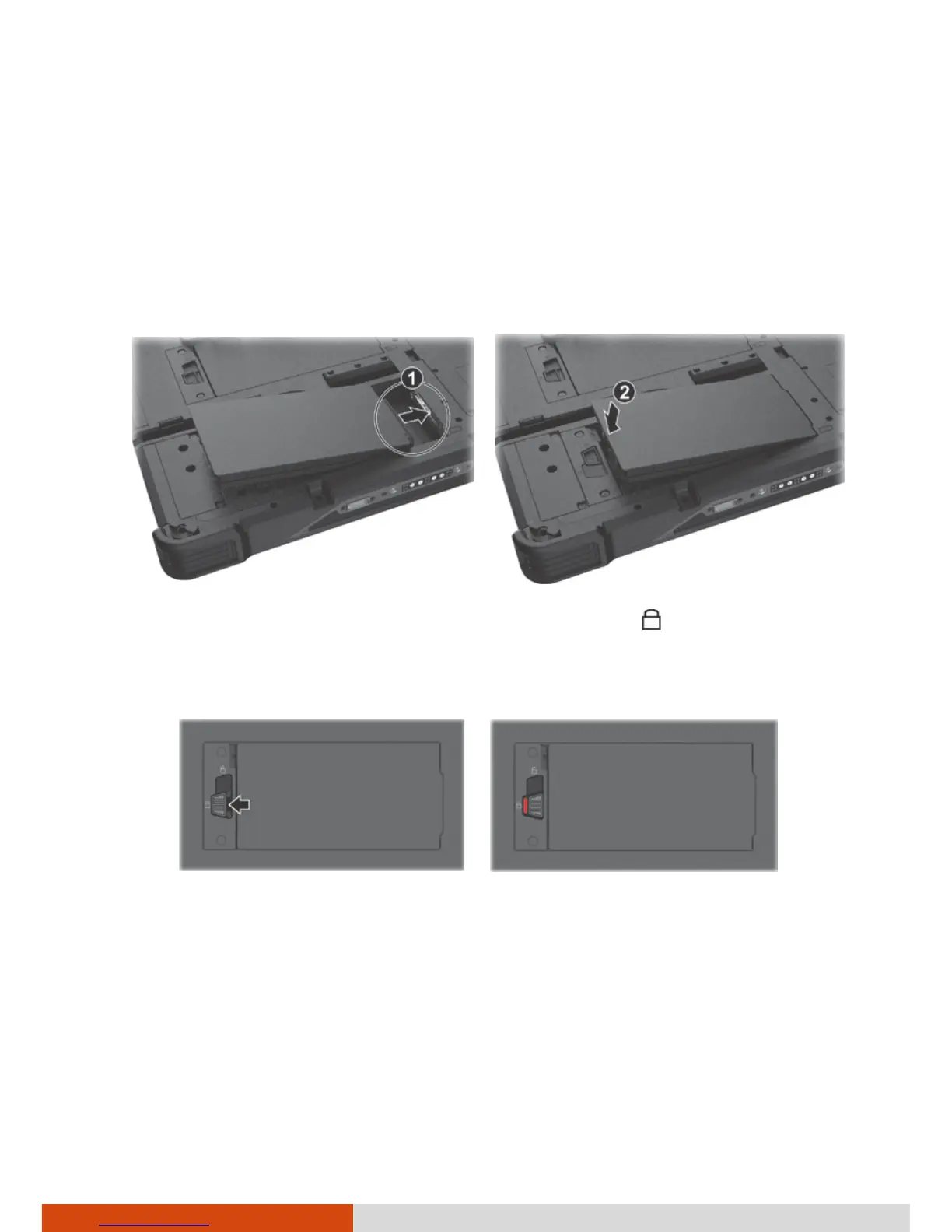
2. The Tablet PC has two battery compartments for two battery packs; each
is installed in the same way.
With the battery pack correctly oriented, attach its connector side to the
battery compartment at an angle (
) and then press down the other
side (
).
3. Slide the battery latch toward the locked position ( ).
CAUTION: Make sure the battery latch is correctly locked, not revealing the
underneath red part.
Correct Incorrect (revealing red part)



 To Next Page