7
B360 Pro
Ref
Component Description
Kensington lock
Locks the computer to a stationary object for
security.
USB-C
Thunderbolt™ 4
port
Connects to devices that support Thunderbolt or
USB-C connection.
USB 3.2 Gen 2 port Connects a USB device.
RJ45 connector Connects the LAN cable.
HDMI connector Connects a HDMI monitor or TV set.
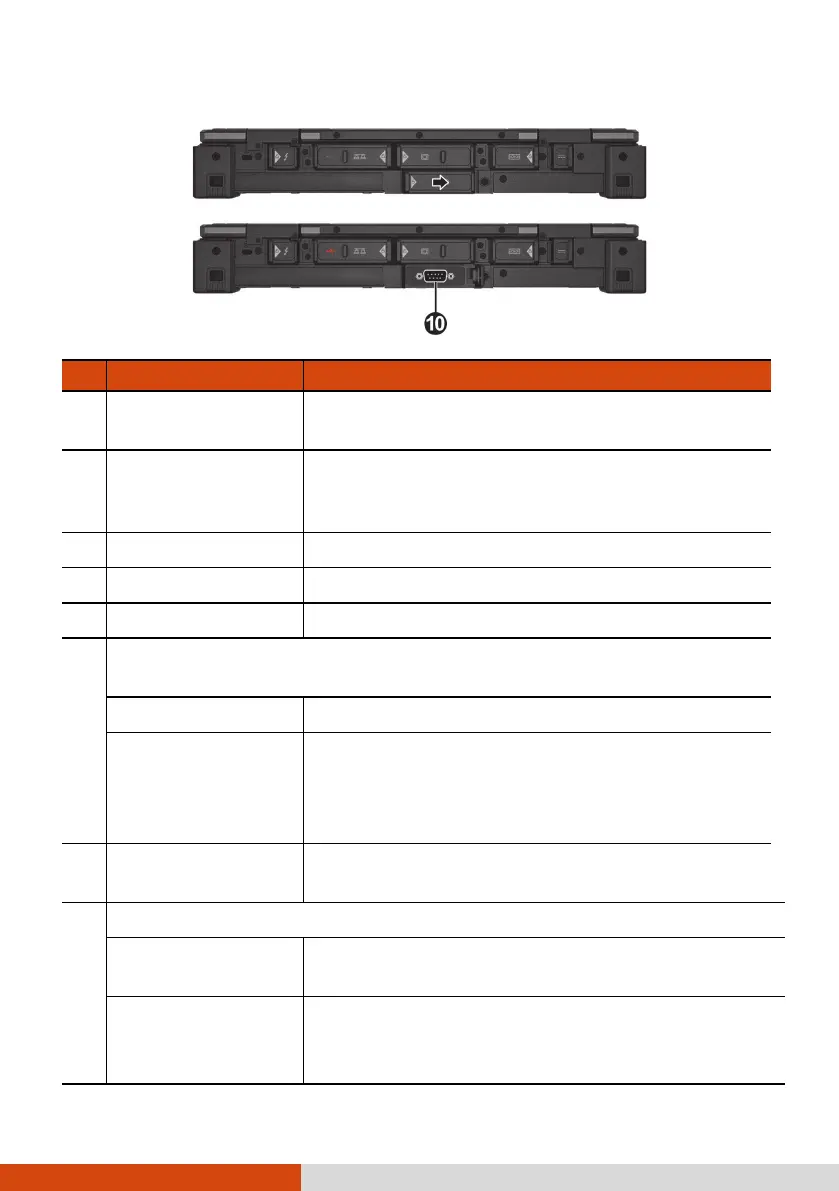
Depending on the model, the component can be one of the
following:
VGA connector Connects an external display monitor.
RS-232 serial
connector
Connects a serial mouse or serial communication
device.
NOTE: This is the component shown as the
example in the illustration.
RJ45 connector
(optional)
Connects the LAN cable.
Depending on the model, the component can be one of the following:
RS-232 serial
connector
Connects a serial mouse or serial communication
device.
VGA connector Connects an external display monitor.
NOTE: This is the component shown as the
example in the illustration.



 To Next Page