20
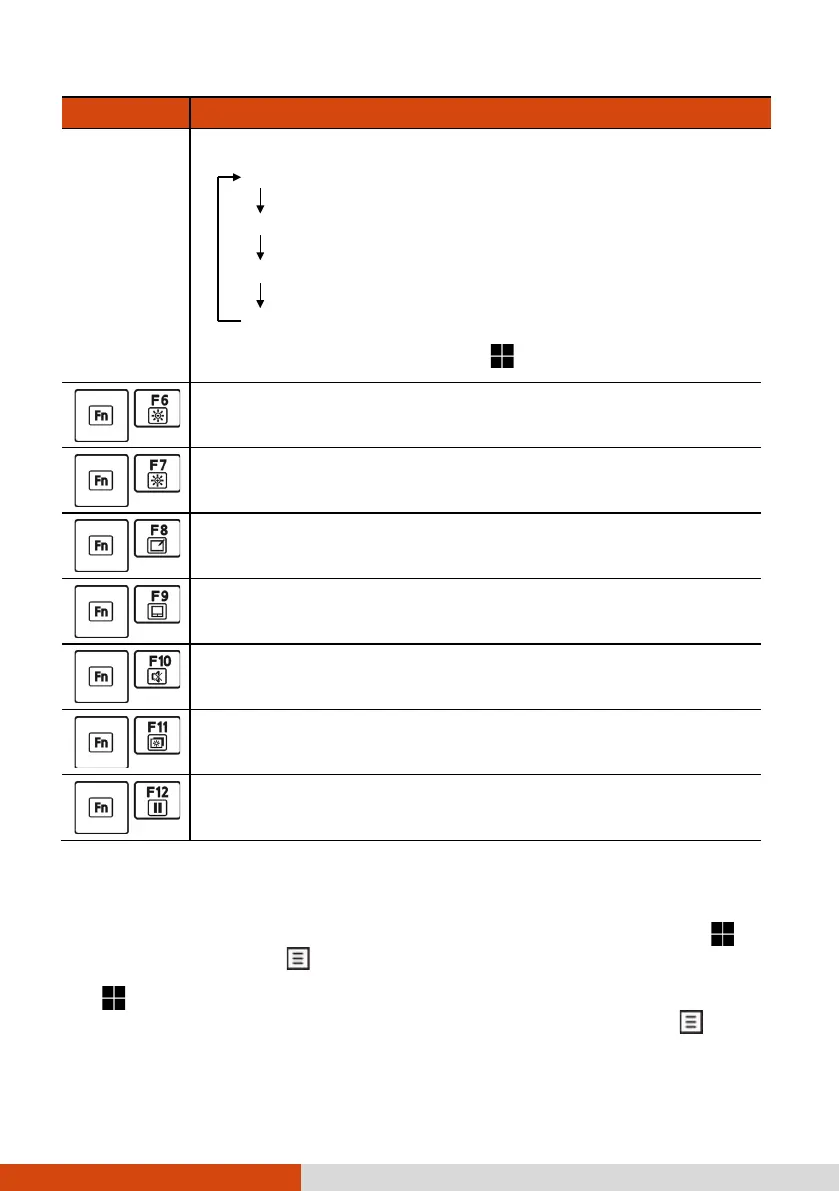
Key Description
Choices are:
PC screen only
Duplicate (See the same thing on all your displays.)
Extend (See your desktop across multiple screens.)
Second screen only
The hot keys are equivalent to
Windows logo key + P.
Decreases the LCD brightness.
Increases the LCD brightness.
Switches the touchscreen function off or on (select models
only).
Switches the touchpad function off or on.
Switches the system sound output off (mute) or on.
Switches the display backlight off or on.
Serves as the sleep button that you can define with
Windows’ Power Options.
Windows Keys
The keyboard has two keys that perform Windows-specific functions:
Windows Logo key and
Application key.
The Windows Logo key opens the Start menu and performs software-
specific functions when used in combination with other keys. The
Application key usually has the same effect as a right mouse click.



 To Next Page