79
Make sure that the disc is not dirty. Clean the disc with a disc cleaning
kit, available in most computer stores.
Make sure that the computer supports the disc or the files contained.
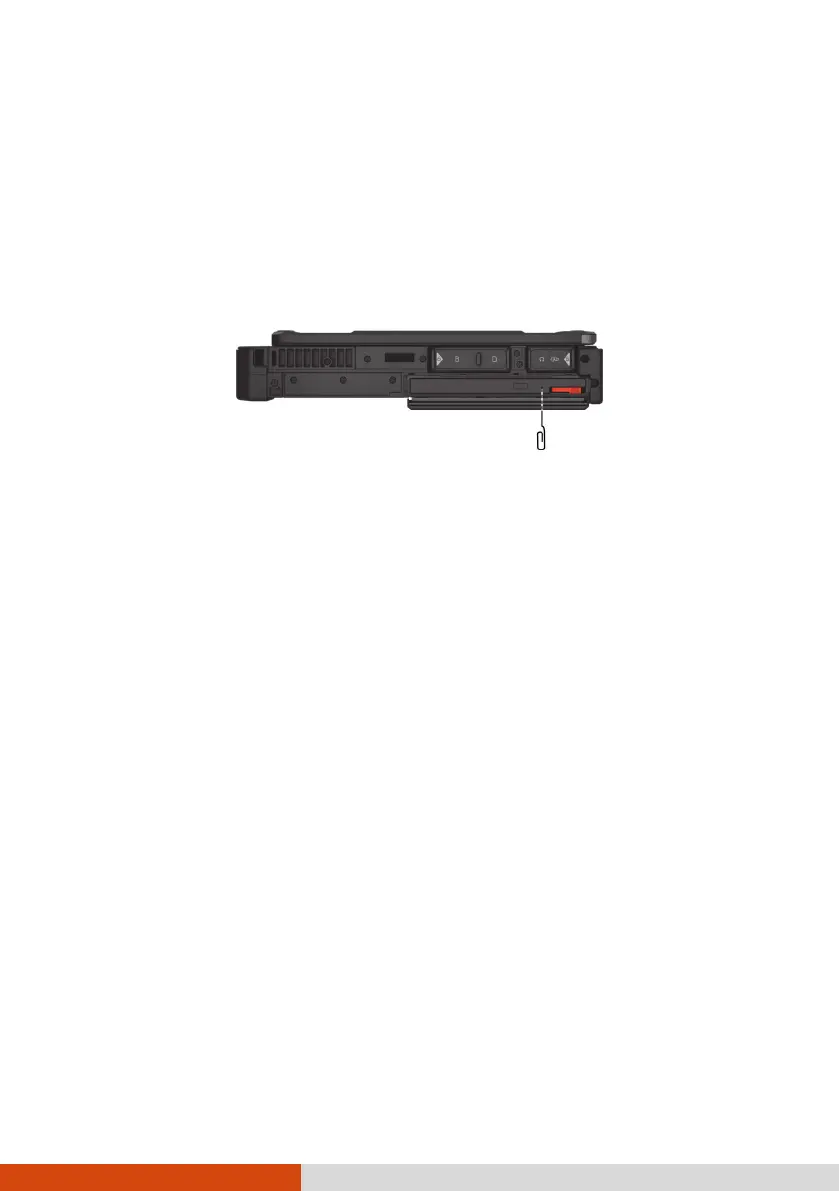
You cannot eject a disc.
The disc is not properly seated in the drive. Manually release the disc by
inserting a small rod, such as a straightened paperclip, into the drive’s
manual eject hole and pushing firmly to release the tray.
Power Management Problems
The computer does not enter Sleep or Hibernation mode
automatically.
If you have a connection to another computer, the computer does not
enter Sleep or Hibernation mode if the connection is actively in use.
Make sure that the Sleep or Hibernation time-out is enabled.
The computer does not enter Sleep or Hibernation mode
immediately.
If the computer is performing an operation, it normally waits for the
operation to finish.
The computer does not resume from Sleep or Hibernation mode.
The computer automatically enters Sleep or Hibernation mode when the
battery pack is empty. Do any one of the following:
− Connect the AC adapter to the computer.
− Replace the empty battery pack with a fully charged one.



 To Next Page