49
NOTE:
USB Power Delivery is not supported for models with Discrete GPU.
Thunderbolt ports are backward-compatible with USB-C devices. An
USB-C device plugged into a Thunderbolt port will function normally.
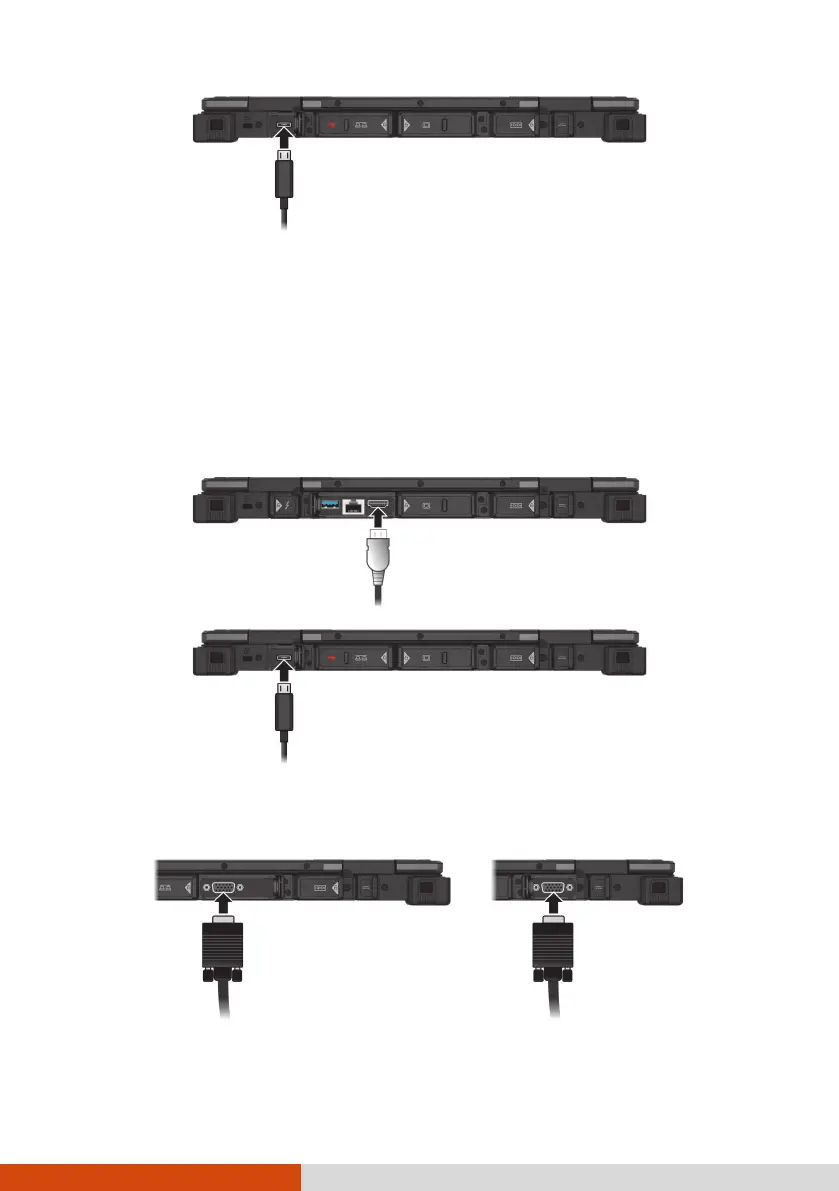
Connecting a Display Monitor
Your computer supports HDMI and DisplayPort interfaces.
Another interface for connecting a monitor is VGA, HDMI, or DisplayPort
depending on the model you have.
DisplayPort
(through Thunderbolt)



 To Next Page