57
Removing the Optical Disc Drive or
Additional SSD (Select Models Only)
If there is a need to remove the optical disc drive or additional SSD from
your B360 Pro, follow this procedure.
1. Turn off the computer and disconnect the AC adapter.
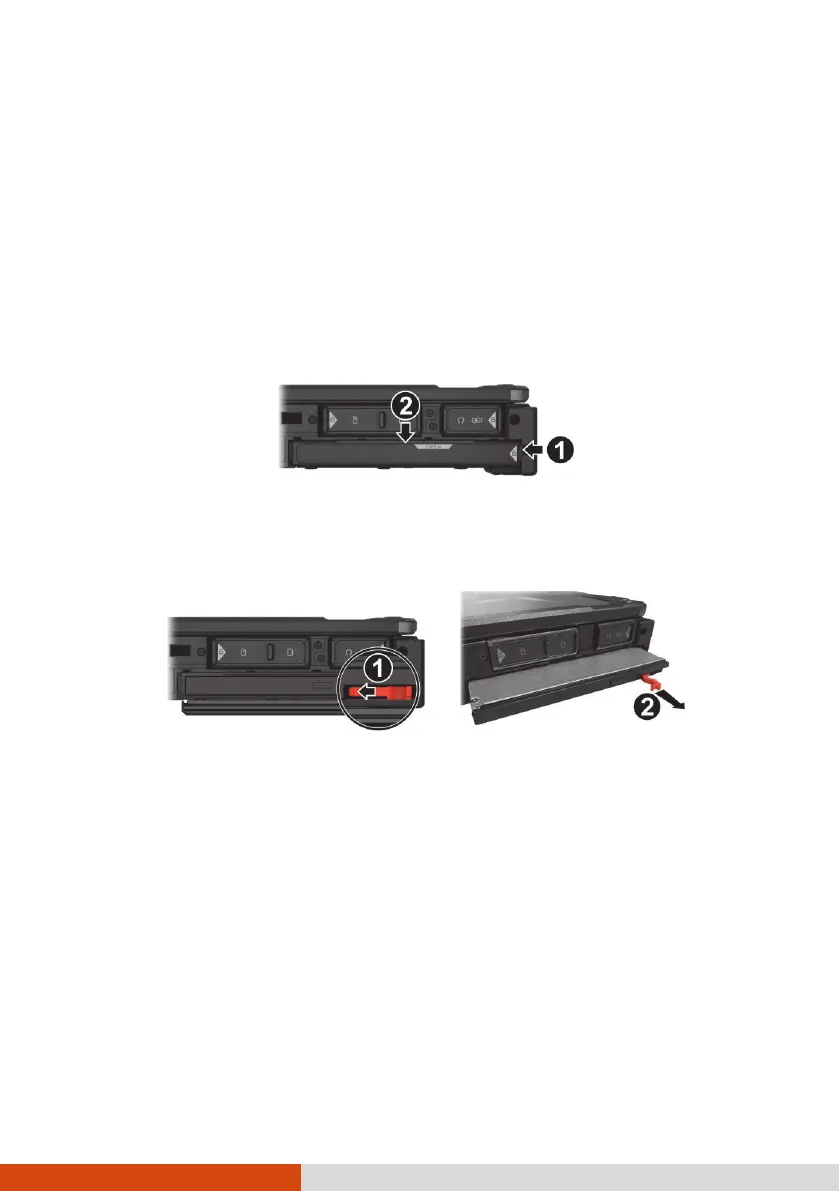
2. Push the tab at the right side of the protective cover toward the left (
)
to unlock the cover and then push the upper tab downwards (
) to
open the cover.
3. The device has a pull handle. Push the handle toward the left (
) to
release it. Then, pull the handle (
) to slide the device out of the
compartment.
(Optical disc drive as the example)
4. Close the cover.
NOTE: To replace the device, insert the device all the way into the
compartment and make sure the pull handle is closed.



 To Next Page