33
Inserting and Removing a Disc
NOTE: For optimal performance, use the disc drive where the recommended
temperature is between -10 °C (14 °F) and 50 °C (122 °F).
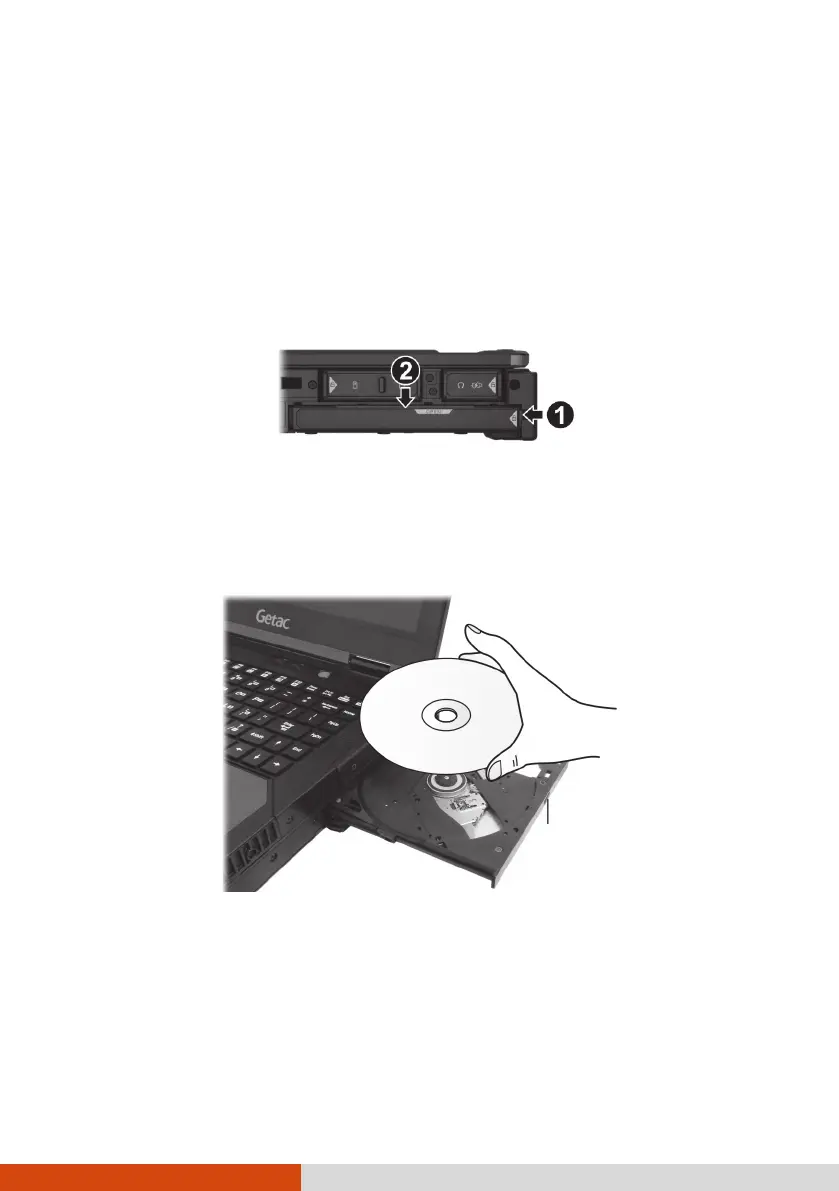
1. Turn on the computer.
2. Push the tab at the right side of the protective cover toward the left (
)
to unlock the cover and then push the upper tab downwards (
) to
open the cover.
3. Press the eject button and the disc tray will slide out partially. Gently
pull on it until it is fully extended.
4. To insert a disc, place down the disc in the tray with its label facing up.
Slightly press the center of the disc until it clicks into place.
To remove a disc, hold the disc by its outer edge and lift it up from the
tray.
5. Gently push the tray back into the drive.
NOTE: In the unlikely event that you are unable to release the drive tray by
pressing the eject button, you can manually release the disc. (See “You
cannot eject a disc.” in Chapter 8.)



 To Next Page