56
Expanding or Replacing
Replacing or Adding an SSD
NOTE: If you are installing the additional SSD for B360 Pro, see the next
subsection for instructions.
1. Turn off the computer and disconnect the AC adapter.
2. Locate the SSD and open the protective cover.
3. Skip this step if you are expanding your computer from one SSD to two
SSDs.
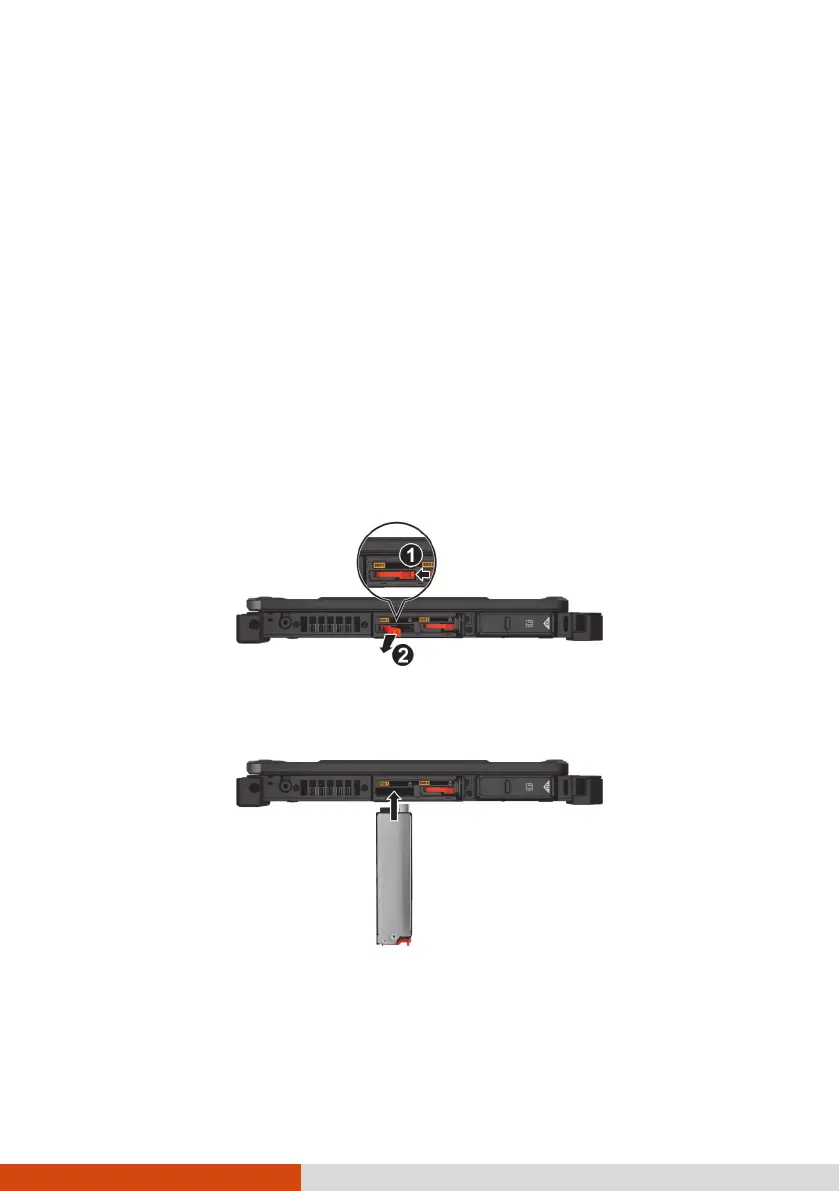
The SSD has a pull handle. Push the handle toward the left (
) to
release it. Then, pull the handle (
) to slide the SSD out of the
compartment.
(SSD 1 as the example)
4. Noting the orientation, insert the SSD all the way into the compartment.
(SSD 1 as the example)
5. Make sure the pull handle is closed.
6. Close the cover.



 To Next Page