EasyManua.ls Logo

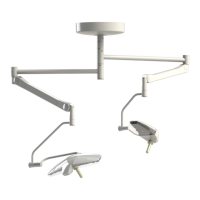
Getinge Lucea 100 - User Manual

Getinge Lucea 100
60 pages
Print Icon
To Next Page IconTo Next Page
Loading...
Instructions for use
Lucea 50-100
IFU 01741EN 112023-04-06

Table of Contents

Other manuals for Getinge Lucea 100

Questions and Answers

  • L
    lee45Aug 10, 2025
    What to do if the Getinge Medical Equipment remote control does not operate the light?
    • J
      Jason ChambersAug 10, 2025
      If the remote control isn't operating your Getinge Medical Equipment light, first try re-registering the remote control. If that doesn't work, replace the batteries, as the battery level may be low.
  • M
    Mike Morgan VAug 16, 2025
    Why the sterilisable handle of my Getinge Lucea 100 Medical Equipment does not click into place correctly?
    • S
      smithamyAug 16, 2025
      If the sterilisable handle of your Getinge Medical Equipment doesn't click into place correctly, check the handle's operation, especially the locking mechanism, for an audible click. This issue may arise if sterilisation temperature or time parameters were exceeded. If the problem persists, or if the handle is twisted, bent or its maximum service life has expired, replace the handle.
  • J
    justinayalaAug 21, 2025
    What does it mean if LED 4 flashes on Getinge Medical Equipment?
    • D
      David DavisAug 22, 2025
      If LED 4 on your Getinge Medical Equipment is flashing, it means the batteries are discharged. Recharge the batteries to resolve this.
  • A
    Angela FischerAug 28, 2025
    What to do if LED 3 is lit red on Getinge Lucea 100?
    • J
      Jennifer BarnettAug 28, 2025
      If LED 3 is lit red on your Getinge Medical Equipment, it indicates that the batteries are almost totally discharged. You should recharge the batteries urgently.
  • R
    Raymond TranSep 3, 2025
    What to do if LED 1 is lit red on Getinge Lucea 100 Medical Equipment?
    • A
      Ashley StoneSep 3, 2025
      If LED 1 is lit red on your Getinge Medical Equipment, it indicates that the batteries are almost totally discharged. You should recharge the batteries urgently.

Summary

1 Introduction

1.11 Information relating to intended use

Details on the product's intended use, users, and indications.

1.12 Primary purpose

Explanation of the surgical light's primary function and objective.

2 Safety-related information

2.2 Safety instructions

Provides essential safety warnings and precautions for product usage, including electrical, optical, and infection risks.

4 Use

4.1 Daily inspections before use

Procedures for daily checks of lightheads, fork plugs, and system stability.

4.2 Controlling the light

Instructions for operating the light, including turning on/off and adjusting illumination.

4.4 Positioning the light

Guidance on positioning the light, including handle installation, maneuvering, and pre-positioning.

4.5 Remote control

Instructions for pairing, operating, and changing batteries for the remote control.

5 Error messages and alarm indicators

6 Troubleshooting

6.1 Electronics;Optics

Troubleshooting guide for electronic and optical issues with the lighthead.

6.2 Mechanical components

Troubleshooting guide for mechanical anomalies and malfunctions of the lighthead.

Mobile light with battery backup

Troubleshooting specific to the mobile light's battery backup system.

7 Cleaning; Disinfection; Sterilisation

8 Maintenance

8.1 Maintenance schedule

Summary of main maintenance steps and their intervals during the product lifetime.

9 Technical specifications

Getinge Lucea 100 Specifications

General IconGeneral
IlluminanceUp to 160, 000 lux
Warranty2 years
ApplicationSurgical lighting
TypeLED light
Color Temperature4500 K
Adjustability360° rotation, height adjustable

Related product manuals