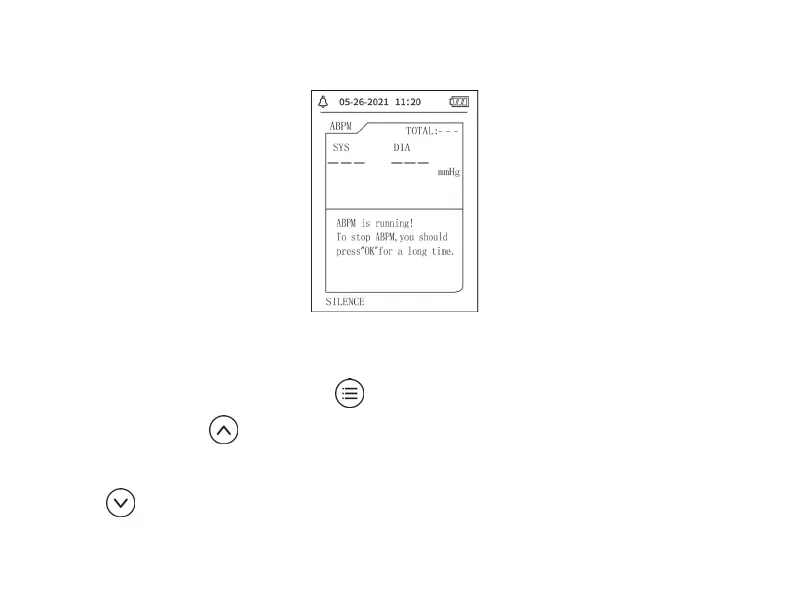
Figure 3.4.6 ABPM Working Interface
If PROMPT SOUND occurs, press SILENCE key to stop it and press it again to continue.
In ABPM working interface, long press
button, the exit ABPM hint interface will pop up. In
this interface, press
button to exit ABPM working environment, and enter the ordinary user
working environment, the boot-strap interface will be displayed. In the exit ABPM hint interface,
press
button to exit the interface, and return the ABPM working interface.


 To Next Page