39
After repowering on, or pressing this button again, or running for one hour, the unit will exit forced
cooling mode.
10.9 ECO mode
Press ECO button in remote controller to enter this mode.
The fan speed is set to low and the setting temperature is 26 degrees.
10.10 AUTO mode
In AUTO mode, the default setting temperature is 25 degrees and it can be adjusted by remote
controller.
In auto mode, the running mode depends on the temperature difference between room
temperature (T1) and setting temperature (Ts).
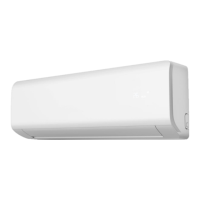
For wall mounted unit:
After compressor stop working for 15min, unit will select running mode again according to room
temperature and setting temperature.
10.11 Room temperature detected by wired controller
The room temperature is detected by temperature sensor in indoor unit by default.
When indoor unit is connected to wired controller, after setting SW2-8 DIP switch to ON position,
the room temperature is detected by wired controller.
10.12 Room card function
When the Remo_ctrl port in indoor unit PCB is connected, the indoor unit can be turned on and
off normally. All functions are available.



 To Next Page