23
4
English
Programming
2.3.2 Dawn/Dusk light sensitivity
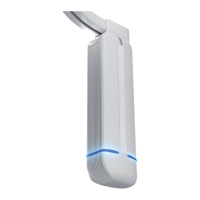
motor LED colour blue:
To use the Dawn/Dusk sensor, dene its sentibility (see below) AND its behaviour (§ 2.3.3).
Connect the Goelst light sensor to the underside of the motor unit via the RJ45 plug.
Make sure that the sensor is properly placed and oriënted correctly towards the light source.
If light intensity exceeds set intensity for more than 5 mins. uninterrupted the sensor gener-
ates an open signal (Dawn).
If light intensity stays below set intensitiy for more than 5 mins. uninterrupted the sensor
generates a close signal (Dusk).
The response to these signals can be dened in § 2.3.3.
If a Dawn/Dusk light induced event is overruled by another controlling signal (manual opera-
tion, time controlled, remote control), the sensors Dawn/Dusk signal will be ignored for 4
hrs. The Dawn/Dusk sensor signal is effective again after these 4 hrs. or after a power cut.
Note: Sun light events are not affected by an overruled Dawn/Dusk sensor event.
After 15s. without input, the motor unit quits programming mode.
Please read the steps of this feature rst before starting.
SET Dawn/Dusk sensitivity
1. Press and hold the OPEN+CLOSE buttons until the LED on the motor unit slowly ash-
es white (after ~8s.) (First the LED will turn white continuously, keep the button(s)
pressed)
2. Repeatedly press OPEN or CLOSE until the LED on the motor unit is blue.
3. Shortly press the OPEN+CLOSE buttons to enter the feature menu,
4. The LED on the motor unit now ashes blue at the current setting:
5. Cycle through the options below using OPEN or CLOSE:
1x ash = average light intensity (Default)
2x ash = below average light intensity
3x ash = above average light intensity
4x ash = current light intensity
6. Conrm and store setting by shortly pressing OPEN+CLOSE buttons.
7. The LED on the motor unit slowly ashes white again for 15 seconds: using the
OPEN or CLOSE buttons another MENU 2 feature can be selected.
8. Otherwise, wait for 15 seconds or shortly press the OPEN+CLOSE buttons to quit
programming.
The LED on the motor unit switches off, the system is ready to use.
To quit programming at any time, repeatedly press the OPEN+CLOSE buttons or wait for 15s.
Changes made at 5 will only be saved if conrmed by pressing the OPEN+CLOSE buttons.


 To Next Page