30
4
Programming
English
After 15s. without input, the motor unit quits programming mode.
Please read the steps of this feature rst before starting.
In case of a Power Cut the timer will be reset, unless the motor unit is provided with an accu pack.
SET 24hrs Timer
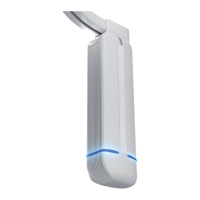
1. Press and hold the OPEN+CLOSE buttons until the LED on the motor unit ashes
white at high speed (after ~12s.)
(First the LED will turn white continuously, then ashes white slowly, keep pressed
until the LED ashes white at high speed)
2. Repeatedly press OPEN or CLOSE until the LED on the motor unit is yellow.
3. Shortly press the OPEN+CLOSE buttons to enter the feature menu,
4. The LED on the motor unit now ashes yellow at the current setting:
5. Cycle through the options below using OPEN or CLOSE:
1x ash = Off / Reset all recorded events (Default)
2x ash = 24hrs Timer ON
3x ash = Pause all recorded events
4x ash = Learning mode
5x ash = Showroom Timer ON
6. Conrm and store setting by shortly pressing OPEN+CLOSE buttons.
7. The LED on the motor unit ashes white at high speed again for 15 seconds: using
the OPEN or CLOSE buttons another MENU 3 feature can be selected.
8. Otherwise, wait for 15 seconds or shortly press the OPEN+CLOSE buttons to quit
programming.
The LED on the motor unit switches off, the system is ready to use.
To quit programming at any time, repeatedly press the OPEN+CLOSE buttons or wait for 15s.
Changes made at 5 will only be saved if conrmed by pressing the OPEN+CLOSE buttons.
3.4 - 3.6 (Reserved)


 To Next Page