31
4
English
Programming
3.7 Factory settings
Switch to Factory settings, recalling all default settings, being option 1 in every settings
menu. This erases all changes made. When making settings after choosing this feature, the
motor unit behaves as a new motor unit.
After 15s. without input, the motor unit quits programming mode.
Please read the steps of this feature rst before starting.
SET Factory settings
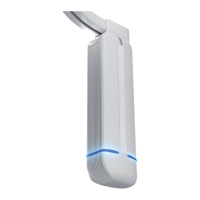
motor LED colour light blue:
1. Press and hold the OPEN+CLOSE buttons until the LED on the motor unit ashes
white at high speed (after ~12s.)
(First the LED will turn white continuously, then ashes white slowly, keep pressed
until the LED ashes white at high speed)
2. Repeatedly press OPEN or CLOSE until the LED on the motor unit is light blue.
3. Shortly press the OPEN+CLOSE buttons to enter the feature menu,
4. The LED on the motor unit now ashes light blue.
ATTENTION: IN THE NEXT STEP, ALL SAVED CHANGES WILL BE ERASED AND THE MOTOR
UNIT IS PUT BACK TO IS FACTORY SETTINGS. TO SKIP, WAIT 15S. UNTIL THE LED ON THE
MOTOR UNIT SWITCHES OFF.
5. Conrm by shortly pressing OPEN+CLOSE buttons: the motor unit has been put back
in its factory settings.
6. The LED on the motor unit ashes white at high speed again for 15 seconds: using
the OPEN or CLOSE buttons another MENU 3 feature can be selected.
7. Otherwise, wait for 15 seconds or shortly press the OPEN+CLOSE buttons to quit
programming.
The LED on the motor unit switches off, the system is ready to use.
To quit programming at any time, repeatedly press the OPEN+CLOSE buttons or wait for 15s.
Changes made at 5 will only be saved if conrmed by pressing the OPEN+CLOSE buttons.


 To Next Page