26
4
Programming
English
7. The LED on the motor unit slowly ashes white again for 15 seconds: using the
OPEN or CLOSE buttons another MENU 2 feature can be selected.
8. Otherwise, wait for 15 seconds or shortly press the OPEN+CLOSE buttons to quit
programming.
The LED on the motor unit switches off, the system is ready to use.
To quit programming at any time, repeatedly press the OPEN+CLOSE buttons or wait for 15s.
Changes made at 5 will only be saved if conrmed by pressing the OPEN+CLOSE buttons.
2.4.2 Touch and Stop
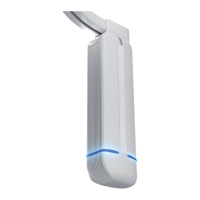
motor LED colour light blue:
Touch and Stop self-calibrates during the rst 3 completed runs of the system, after reset-
ting (new) end postitions, changes in speed settings or after reactivating the feature.
Touch and Stop feacture has 2 settings: On or Off.
In some cases the Touch and Stop feature might not function as expected: this is the case
when curtain fabric causes friction with oor, walls or the curtain track itself.
Or in case of any other source of resistance, causing the Touch and Stop function to be
activated.
Touch and Stop auto-calibrates at regular intervals, but in cases it can be advised to start
self calibration by switching this feature off and on again. If unexpected stopping of the
system remains, it is advised to switch off this feature.
Note: After 15s. without input, the motor unit quits programming mode.
Please read the steps of this feature rst before starting.
1. Press and hold the OPEN+CLOSE buttons until the LED on the motor unit slowly ash-
es white (after ~8s.) (First the LED will turn white continuously, keep the button(s)
pressed)
2. Repeatedly press OPEN or CLOSE until the LED on the motor unit is light blue.
3. Shortly press the OPEN+CLOSE buttons to enter the feature menu,
4. The LED on the motor unit now ashes light blue at the current setting:
5. Cycle through the options below using OPEN or CLOSE:
1x ash = On (Default)
2x ash = Off
6. Conrm and store setting by shortly pressing OPEN+CLOSE buttons.
7. The LED on the motor unit slowly ashes white again for 15 seconds: using the
OPEN or CLOSE buttons another MENU 2 feature can be selected.
8. Otherwise, wait for 15 seconds or shortly press the OPEN+CLOSE buttons to quit
programming.
The LED on the motor unit switches off, the system is ready to use.
To quit programming at any time, repeatedly press the OPEN+CLOSE buttons or wait for 15s.
Changes made at 5 will only be saved if conrmed by pressing the OPEN+CLOSE buttons.


 To Next Page