32
3.6 Pin Placement
3.7 Score Tracking
The GolfBuddy allows you to store your scores for up to 1000 rounds of
golf into the memory.
●
On the Green View screen, navigate to the score tracking screen by
moving the toggle button to the left, once. When the hole information
screen appears, push in the toggle button to select.
●
Move up or down on the toggle button to select holes, and move left
or right on the toggle button to select the score. Push in the toggle
button to store your score.
Main Contents Chapter 3
●
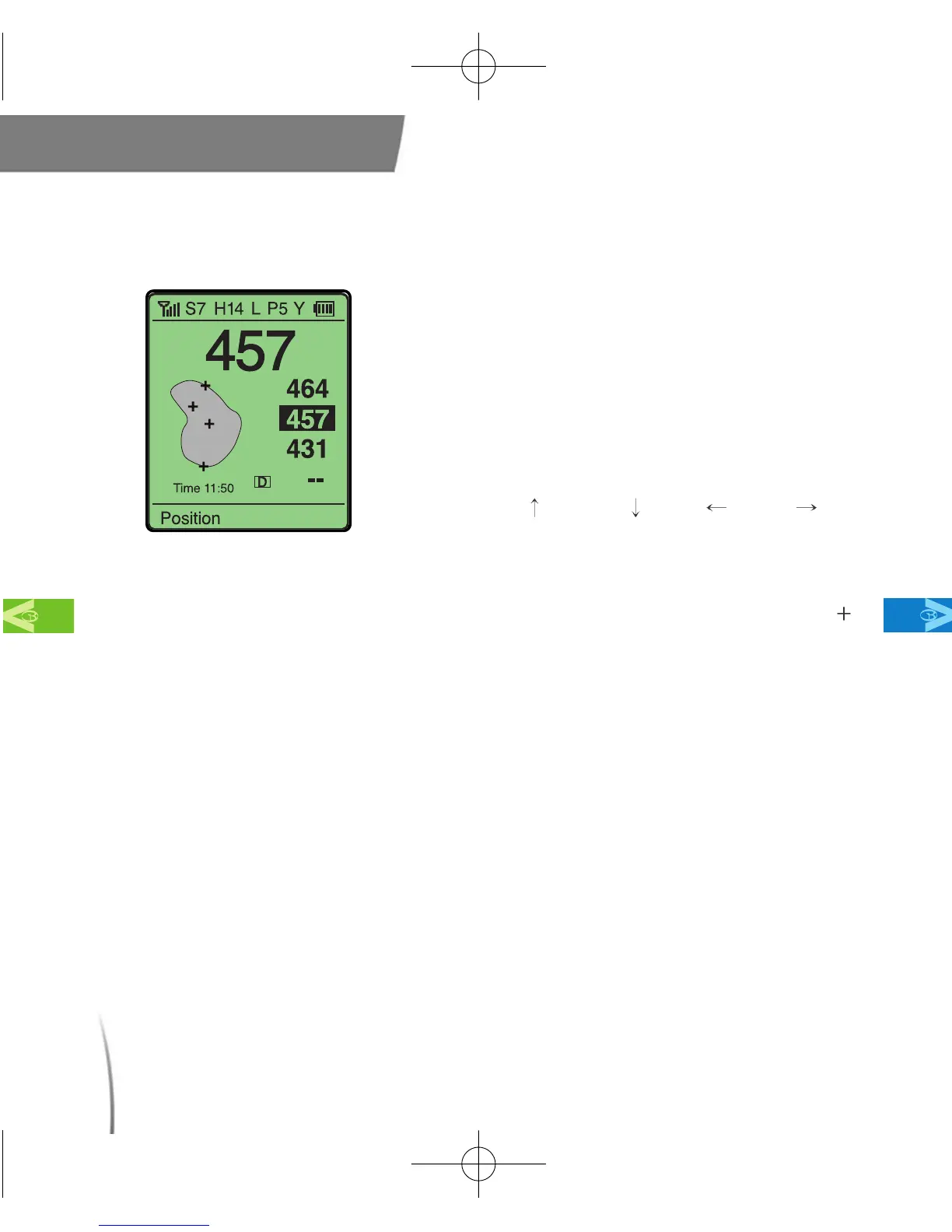
This feature allows you to move the placement
of the pin on your GolfBuddy to give you a
more accurate yardage measurement based
on the actual position of the pin on the green
that you are playing on. (fig. 25)
※ At the Green View screen, move the toggle
button down once and the center (+) will blink.
Move up( ), down( ), left( ), right( ) on
your toggle button to select the desired pin
location. Push in the toggle button to select.
※ After the new pin location has been set, a
different distance to the selected pin position ( )
will be displayed.
fig. 25
CDManualE 2009.7.17 4:32 PM 페이지32



 To Next Page