83
7.4.1 Performing Firmware Upgrade
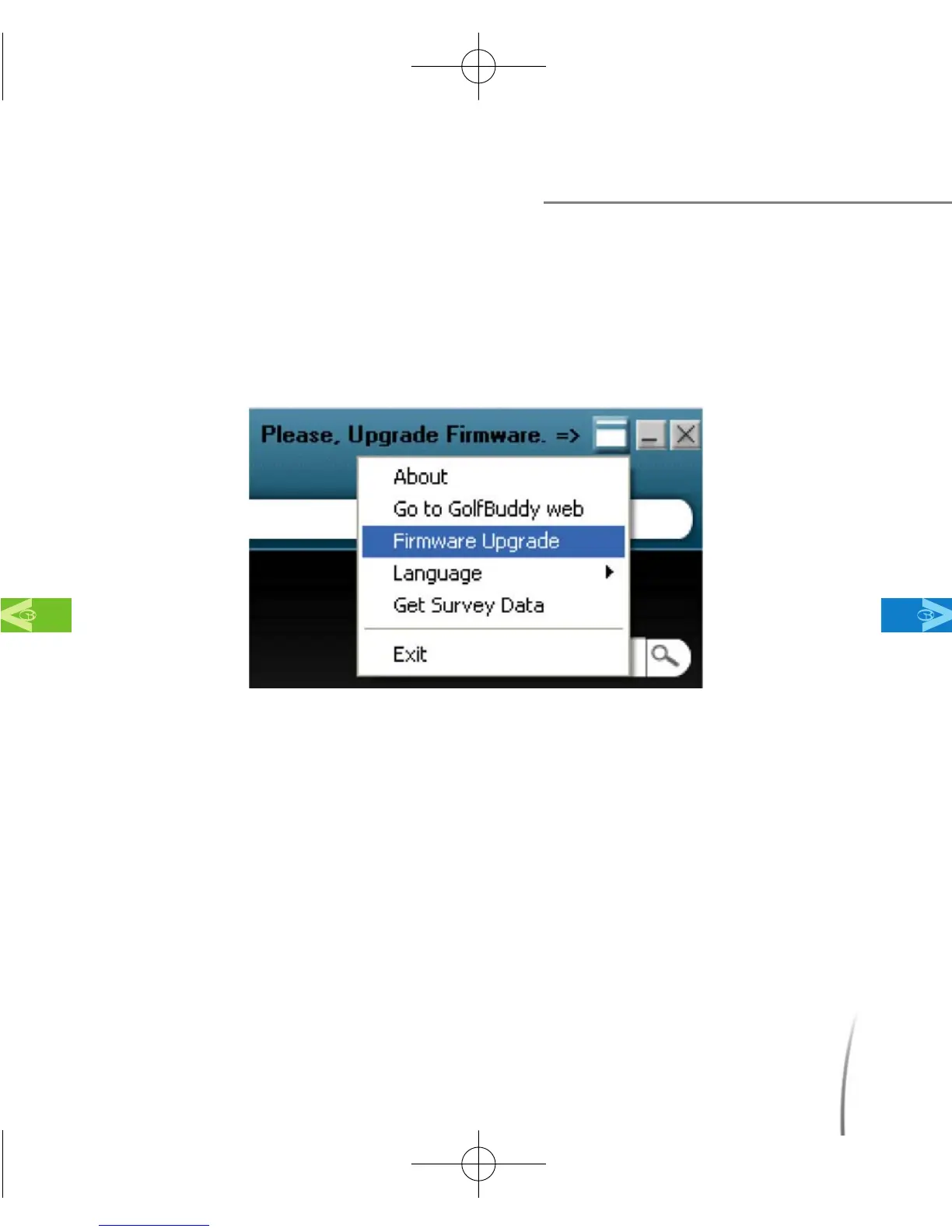
7.4.1.1 To begin performing the firmware upgrade, click on the small
white box next to the “Please Upgrade Firmware” message and
select “Firmware Upgrade” from the drop menu. (fig. 79)
7.4.1.2 Next, a File Download - Security Warning will appear. Click Run
to continue. (fig. 80) Once you click Run, a download progress bar
will appear. Wait for the file to finish downloading and do not press
cancel. Once the download is complete, another Security
Warning will appear. (fig. 82) Click run again.
Using the GB Manager
MainContentsChapter 7
fig. 79
CDManualE 2009.7.17 4:32 PM 페이지83



 To Next Page