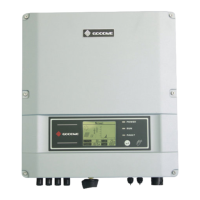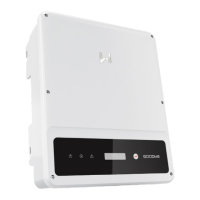
What does Fac Failure mean on Goodwe DNS?
- Ddana04Aug 29, 2025
A 'Fac Failure' on your Goodwe Inverter means it is not connected to the grid. Check if the power grid is connected to the cable, and check the availability of the power grid.

What does Fac Failure mean on Goodwe DNS?
A 'Fac Failure' on your Goodwe Inverter means it is not connected to the grid. Check if the power grid is connected to the cable, and check the availability of the power grid.
How to fix a Relay-Check Failure on a Goodwe Inverter?
To address a Relay-Check Failure on your Goodwe Inverter: 1. Turn off the DC switch of the inverter. 2. Wait until the LCD light is off. 3. Turn on the DC switch and ensure it is connected.
What does Isolation Failure mean on my Goodwe Inverter and how can I resolve it?
An 'Isolation Failure' on your Goodwe Inverter suggests a problem with the impedance between the ground and PV (+) & PV (-). Check the impedance; the value must be greater than 100kΩ. Also, ensure the inverter is properly grounded.
What to do if my Goodwe Inverter displays PV Over Voltage?
If your Goodwe Inverter is showing a 'PV Over Voltage' error, check if the PV open circuit voltage is higher than or too close to the maximum input voltage.
Why does my Goodwe Inverter show Utility Loss?
A 'Utility Loss' message on your Goodwe Inverter indicates a disconnection from the power grid. Check if the power grid is connected to the cable and verify the availability of the power grid.
What causes Over Temperature error on Goodwe Inverter and how to fix it?
The 'Over Temperature' error on your Goodwe Inverter indicates that the internal temperature is higher than normal. Try to decrease the ambient temperature or move the inverter to a cooler location.
| Max. Efficiency | 97.8% |
|---|---|
| MPPT Efficiency | 99.9% |
| Cooling Method | Natural Convection |
| Protection Rating | IP65 |
| Start Voltage | 80 V |
| Nominal AC Voltage | 230 V |
| THDi | <3% |
| Number of MPPTs | 2 |
| Output Voltage | 230 V |
| Frequency | 50 Hz / 60 Hz |
| Type | Grid-Tied Inverter |
| Rated Power Output | 3000W, 3600W, 4200W, 5000W |
| Communication | RS485 |
| Max. DC Input Power | 4500W, 5400W, 6300W, 7500W |
| Max. DC Voltage | 550V |
| MPPT Voltage Range | 80-500V |
| Rated AC Output Power | 3000W, 3600W, 4200W, 5000W |
| AC Voltage Range | 180V - 280V |
| Power Factor | 0.8 leading to 0.8 lagging |
| Operating Temperature Range | -25°C to 60°C |
| MPPT Range | 80-500V |
| Model | DNS Series |
Lists the specific inverter models covered by this manual.
Identifies the intended readers and required expertise for this manual.
Covers overall safety instructions and warnings for operating the inverter.
Specific safety measures for the DC input side of the inverter.
Specific safety measures for the AC output side of the inverter.
Safety precautions related to the physical installation of the inverter unit.
Guidelines on personal protective equipment and qualifications for personnel.
States compliance with relevant EU directives for the inverter.
Describes the intended use and context for the PV inverter.
Details the different grid connection types the inverter supports.
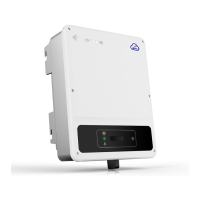
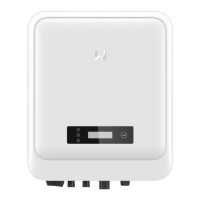
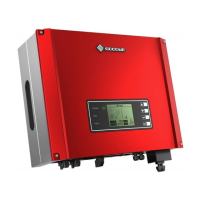
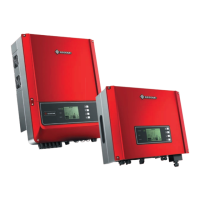
Overview of the inverter's external features.
Identifies and describes the various parts of the inverter.
Provides physical measurements and key dimensions of the inverter.
Explains the function and status indicated by the inverter's LED lights.
Details the information found on the inverter's identification nameplate.
Steps to follow when checking the product before accepting delivery.
Lists all items included in the product package.
Recommendations for proper storage of the inverter if not immediately installed.
Specifies the conditions and location requirements for installing the inverter.
Covers requirements for mounting supports and acceptable installation angles.
Lists the tools recommended for performing the inverter installation.
Step-by-step guide on how to physically install the inverter unit.
Critical safety instructions before making any electrical connections.
Instructions for correctly connecting the protective earth (PE) cable.
Steps for connecting the DC power input from the PV array.
Detailed procedure for preparing and connecting DC input cables.
Instructions for connecting the AC power output to the grid.
Details on connecting various AC output connector types (AC-1, AC-2, AC-3).
Guide for connecting communication cables for monitoring and control.
Checklist of items to verify before powering on the equipment.
Step-by-step procedure for safely powering on the inverter.
Explains the status indicators and control buttons on the inverter.
Guides users on configuring inverter settings using the LCD screen.
Detailed descriptions of various inverter parameters and their functions.
Steps for updating the inverter's firmware using a USB flash drive.
Instructions for setting parameters using the mobile SolarGo application.
Information on using the SEMS portal for system monitoring and management.
Procedure for safely shutting down the inverter before maintenance.
Steps for safely disconnecting and removing the inverter from its mounting.
Information on environmentally responsible disposal of the inverter.
Guidance on identifying and resolving common inverter faults and issues.
Recommended periodic maintenance tasks and their frequency.