-19-
To Add A New Patient (Manual Entry):
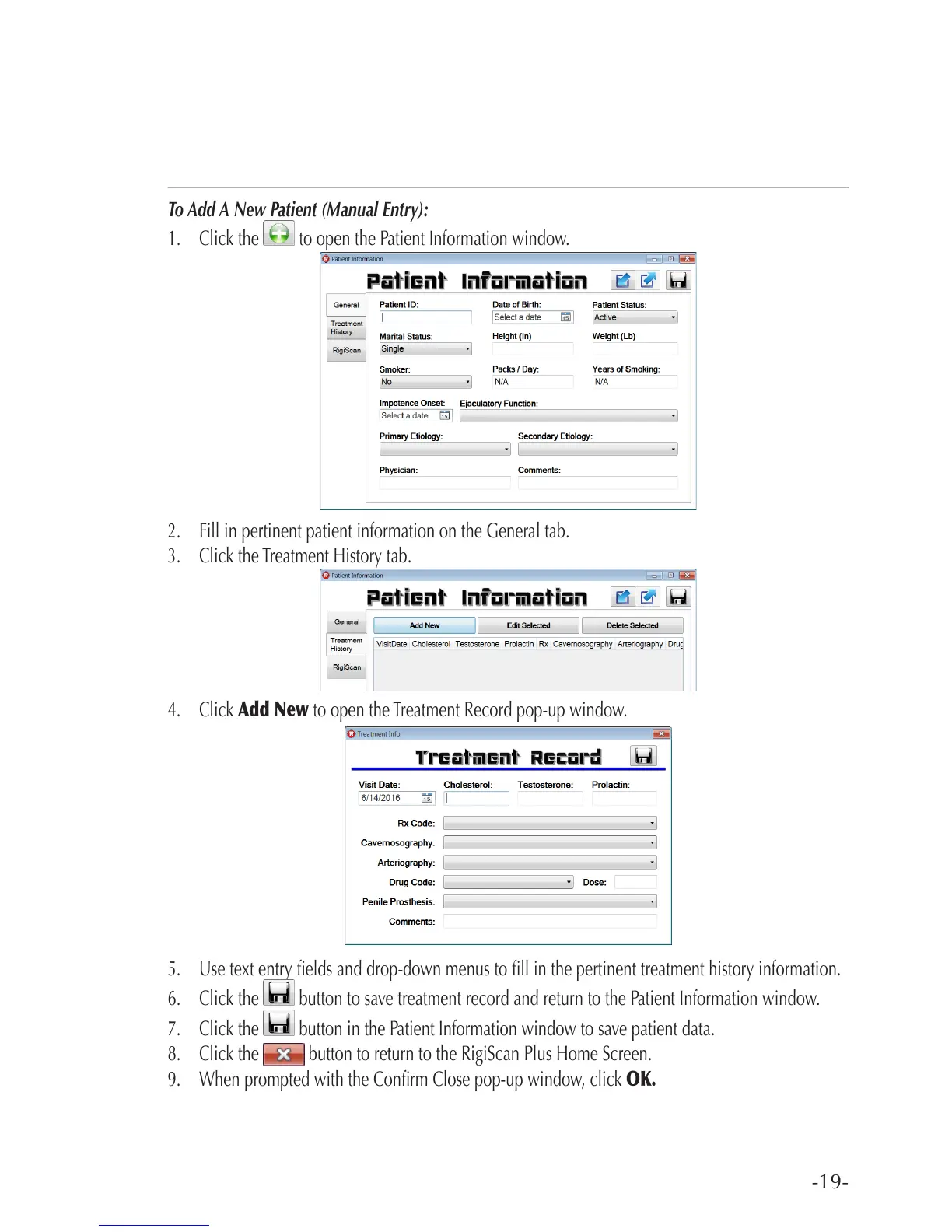
1. Click the to open the Patient Information window.
2. Fill in pertinent patient information on the General tab.
3. Click the Treatment History tab.
4. Click Add New to open the Treatment Record pop-up window.
5. Use text entry elds and drop-down menus to ll in the pertinent treatment history information.
6. Click the button to save treatment record and return to the Patient Information window.
7. Click the button in the Patient Information window to save patient data.
8. Click the button to return to the RigiScan Plus Home Screen.
9. When prompted with the Conrm Close pop-up window, click OK.



 To Next Page