-32-
RIGISCAN
®
(User Guide)
To Archive all patients whose last visit occured before a certain date:
1. Click the Last Visited On... button.
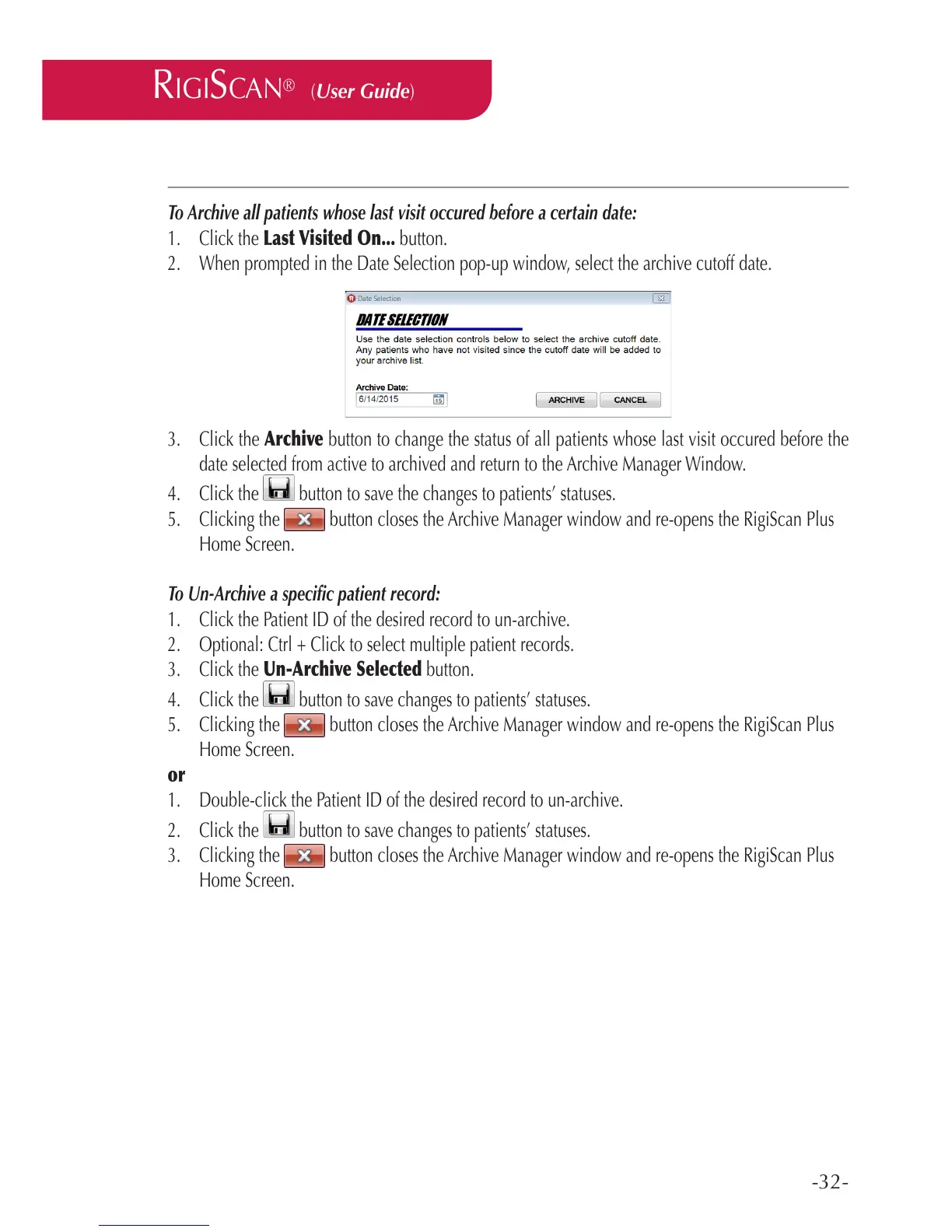
2. When prompted in the Date Selection pop-up window, select the archive cutoff date.
3. Click the Archive button to change the status of all patients whose last visit occured before the
date selected from active to archived and return to the Archive Manager Window.
4. Click the button to save the changes to patients’ statuses.
5. Clicking the button closes the Archive Manager window and re-opens the RigiScan Plus
Home Screen.
To Un-Archive a specic patient record:
1. Click the Patient ID of the desired record to un-archive.
2. Optional: Ctrl + Click to select multiple patient records.
3. Click the Un-Archive Selected button.
4. Click the button to save changes to patients’ statuses.
5. Clicking the button closes the Archive Manager window and re-opens the RigiScan Plus
Home Screen.
or
1. Double-click the Patient ID of the desired record to un-archive.
2. Click the button to save changes to patients’ statuses.
3. Clicking the button closes the Archive Manager window and re-opens the RigiScan Plus
Home Screen.



 To Next Page