-31-
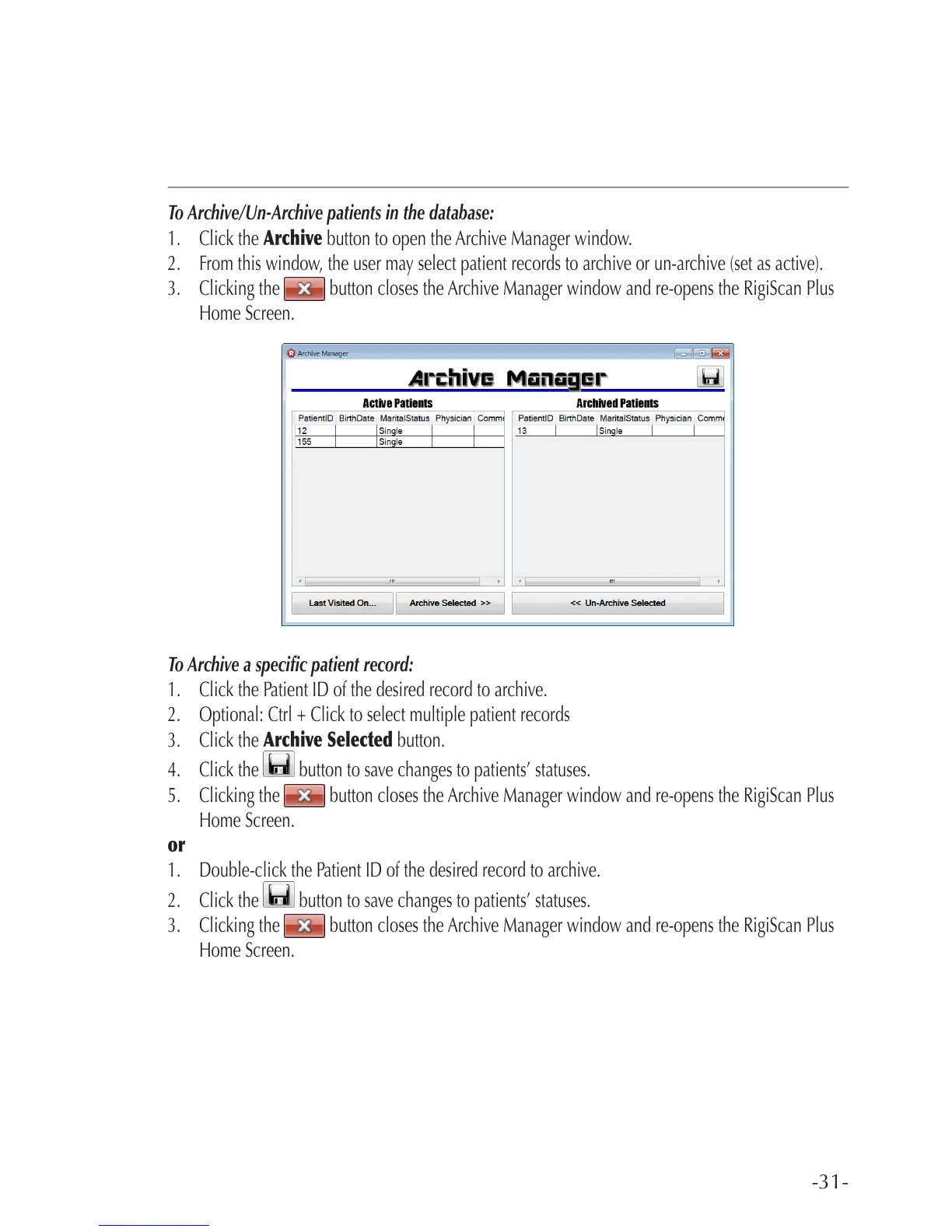
To Archive/Un-Archive patients in the database:
1. Click the Archive button to open the Archive Manager window.
2. From this window, the user may select patient records to archive or un-archive (set as active).
3. Clicking the button closes the Archive Manager window and re-opens the RigiScan Plus
Home Screen.
To Archive a specic patient record:
1. Click the Patient ID of the desired record to archive.
2. Optional: Ctrl + Click to select multiple patient records
3. Click the Archive Selected button.
4. Click the button to save changes to patients’ statuses.
5. Clicking the button closes the Archive Manager window and re-opens the RigiScan Plus
Home Screen.
or
1. Double-click the Patient ID of the desired record to archive.
2. Click the button to save changes to patients’ statuses.
3. Clicking the button closes the Archive Manager window and re-opens the RigiScan Plus
Home Screen.



 To Next Page