24
© Guldmann GB/US-02/2021 • # 550216_19
© Guldmann GB/US-02/2021 • # 550216_19
2.05 Conguration of supplementary modules, GH3+
Before the GH3+ is put into use, the hoist must be congured. Conguration
covers language (Scale module/CLM module/Service module) and the unit for
specication of weight (Scale module).
Factory setting: Language: English (UK)
Unit of weight: kg
Scale module: The weight unit can be set to kg or lbs.
Class III Scale: The weight is always shown in kg.
Conguration of supplementary modules is done using the GH3+
hand control with display.
Setting the language
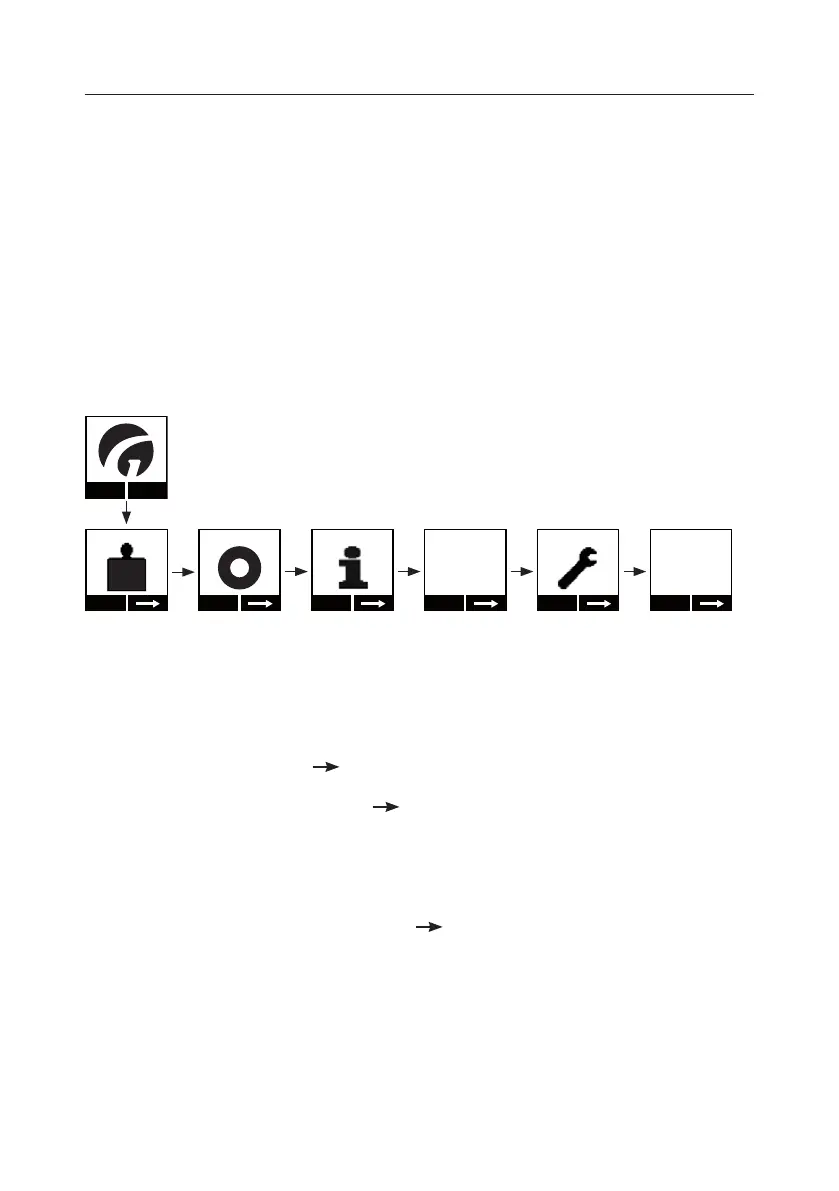
Menu
Start
KG
Start
Show
2019.07.01
Setup
Change
English
1. Press any key on the GH3 hand control to activate the hoist.
When the hoist is activated, the display on the hand control is switched on
and the Guldmann logo “G” appears.
2. Select “Menu” using the function key located immediately below the display
and then select until the “Setup” menu appears in the display.
3. Select “Setup” and then until the “Language” menu appears in the
display.
4. Select “Change” until the preferred language appears in the display, and
conrm the selection by pressing “OK”.
5. Then return to “Setup”. Select to return to the start menu.


 To Next Page