34
© Guldmann GB/US-02/2021 • # 550216_19
© Guldmann GB/US-02/2021 • # 550216_19
2.09 Calibration/verication of Classe III Scale
In order to maintain the medical approval the digital scale must be calibrated/
veried according to national regulatory requirements at an accredited testing
institute.
Software version and change counter are veried on the hand control’s dis-
play.
In daily use it can be veried that the system is approved for medical use by
a Notied Body by conrming that ”Software version counter” reads 1 and the
”Event counter” on the display corresponds with the counter values on the
verication label.
Both values are 1 from the factory and until the rst re-verications.
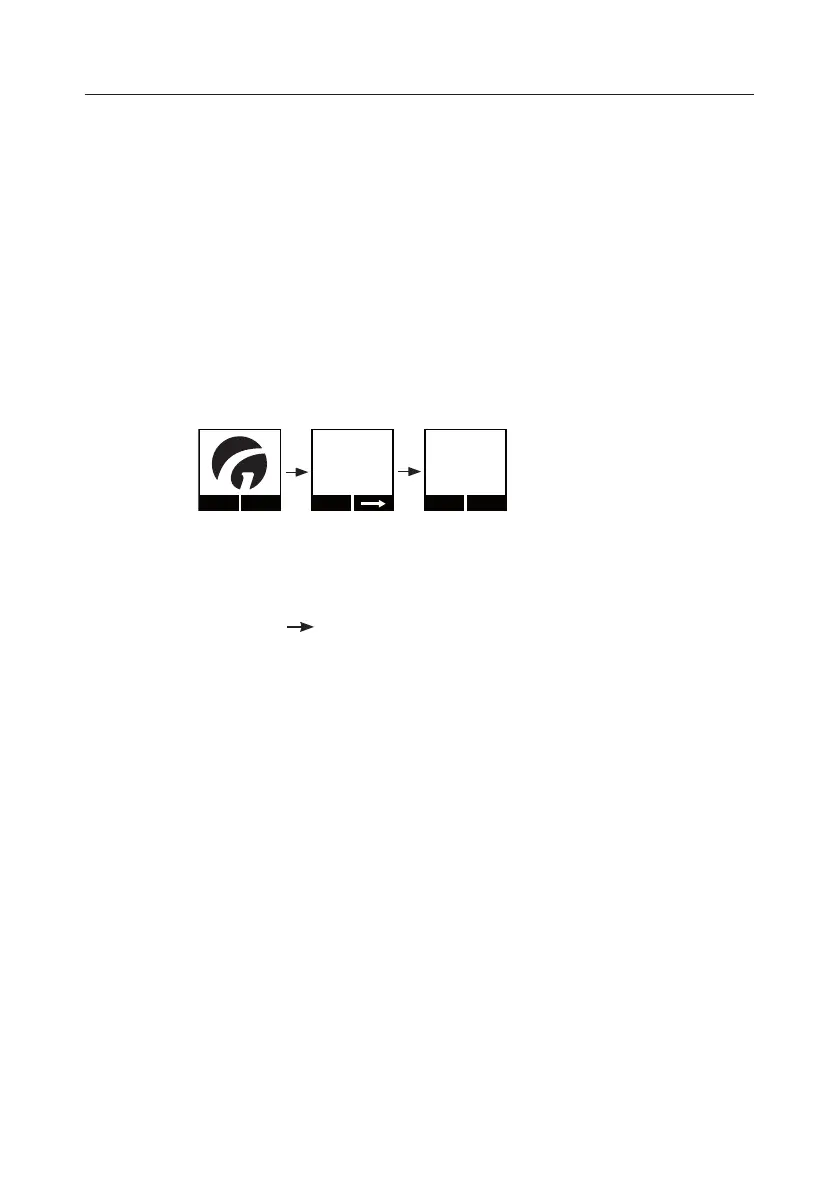
Menu
Version
01.00
Next
Changes
001
Next Exit
1. Press any key on the hand control to activate the display.
2. Select “Menu” using the function key located immediately below the display.
3. Next, select until the ”Version” menu appears in the display.
Version (information screen 1 of 2 in scale menu):
• The number before the decimal counts the software versions and larger
modications;
• The number after the decimal counts minor software modications and bug
xes.
4. Select ”next” to read ”Changes”.
Changes (information screen 2 of 2 in scale menu): change counter
• Counts changes in software parameters such as calibration and values for
G factor.
5. Press EXIT to get back to the main menu.


 To Next Page