40
© Guldmann GB/US-02/2021 • # 550216_19
© Guldmann GB/US-02/2021 • # 550216_19
Operation
Menu
Start
Scale
KG
Start
Trainer
2019.07.01
Next service
ExitNext
CLM 1-5
Lifetime
total lifts
987
ExitNext
CLM 2-5
Lifetime
heavy lifts
232
ExitNext
CLM 3-5
Last week
total lifts
60
ExitNext
CLM 4-5
Lifts per
week avg
72
ExitNext
CLM 5-5
Hoist ID
Hoist #1
1-5
Number
of lifts,
total
2-5
Number
of heavy lifts,
total
3-5
Number
of lifts last week
4-5
Average
numbers
of lifts per
week
5-5
Hoist ID
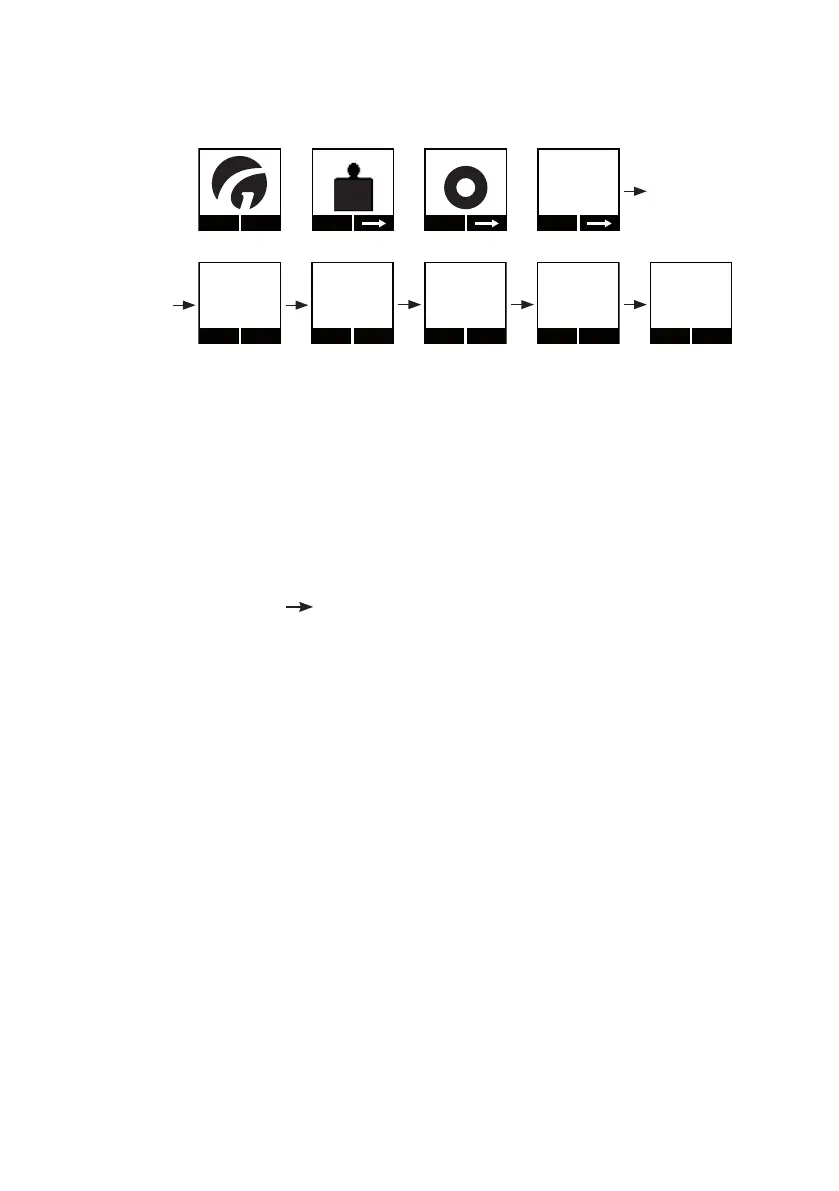
1. Press any key on the GH3+ hand control to activate the hoist.
When the lifting module is activated, the display on the hand control
is switched on and the Guldmann logo “G” appears.
2. Select “Menu” using the function key located below the display.
3. Then select until the “CLM” menu appears in the display.
4. Then select “Show”.
5. Then select “Next” until the required information appears in the display.
6. Select “Exit” to return to the main menu.
Note:
The display on the hand control will automatically revert to the screensaver
after approx. 8 min.
Accessories for the CLM module, GH3+
The CLM module includes an extended management menu which can be
operated via a PDA/Net Book (with Guldmann SIC/CLM software installed).
The PDA/Net Book is connected to the GH3+ hand control via a micro USB
plug located in the base of the hand control (see section 2.04).
Contact supplier or the Guldmann Service Team for further information about
CLM accessories.


 To Next Page