14
Basic Installation (Cont.)
VGA (PC) Connection
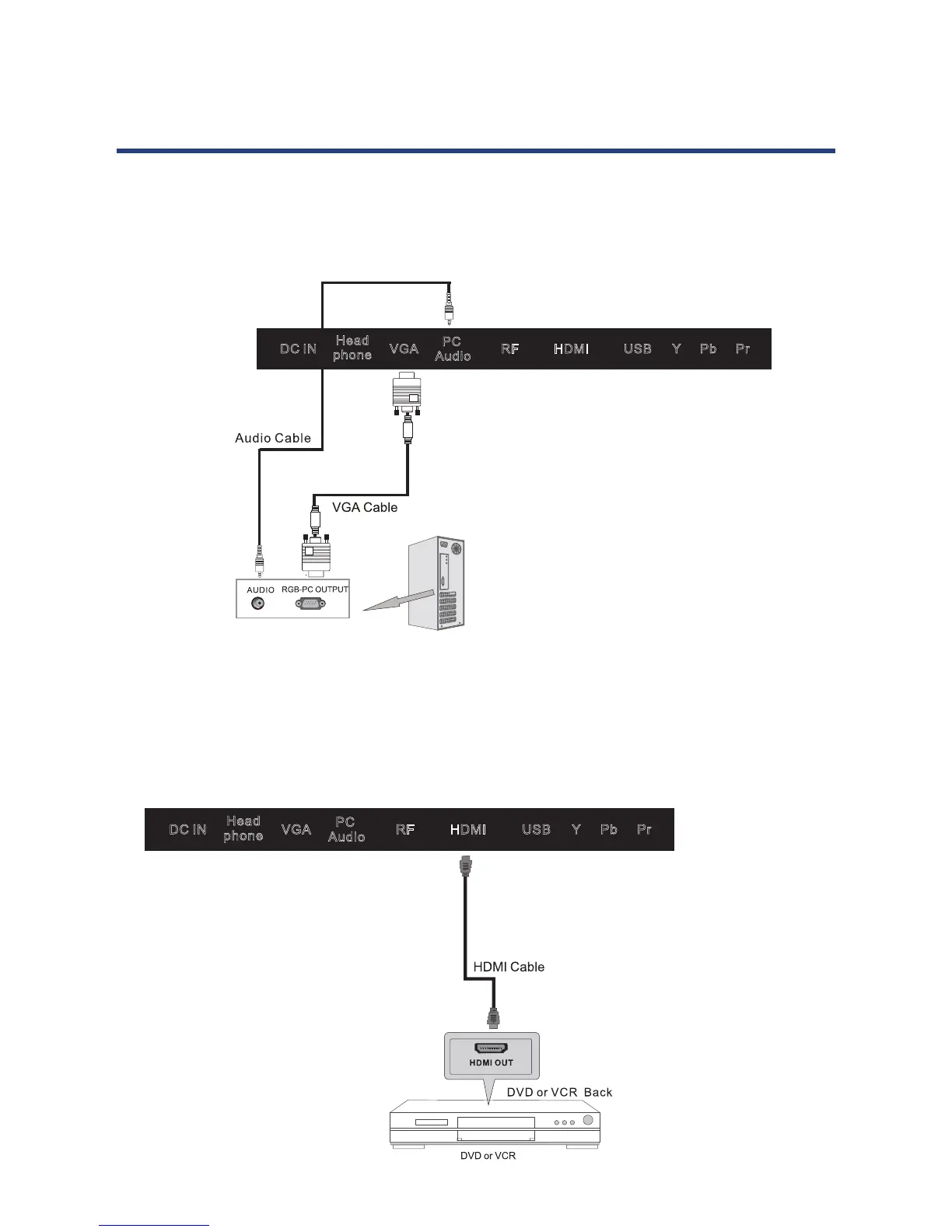
Connect the RGB output of the PC to the VGA socket on the set. Connect the AUDIO output
of the PC to the PC AUDIO socket on the set. Select the PC input source using the SOURCE
button the remote control.
HDMI Connection
HDMI connection allows the user to transfer both audio and video control signals through
one cable only. These signals are transferred in digital.
14
Basic Installation (Cont.)
VGA (PC) Connection
Connect the RGB output of the PC to the VGA socket on the set. Connect the AUDIO output
of the PC to the PC AUDIO socket on the set. Select the PC input source using the SOURCE
button on the remote control.
HDMI Connection
HDMI connection allows the user to transfer both audio and video control signals through
one cable only. These signals are transferred in digital.
USBRF HDMI
PC
Audio
VGA
Y Pb Pr
DC IN
Head
phone
USBRF HDMI
PC
Audio
VGA
Y Pb Pr
DC IN
Head
phone
14
Basic Installation (Cont.)
VGA (PC) Connection
Connect the RGB output of the PC to the VGA socket on the set. Connect the AUDIO output
of the PC to the PC AUDIO socket on the set. Select the PC input source using the SOURCE
button on the remote control.
HDMI Connection
HDMI connection allows the user to transfer both audio and video control signals through
one cable only. These signals are transferred in digital.
USBRF HDMI
PC
Audio
VGA
Y Pb Pr
DC IN
Head
phone
USBRF HDMI
PC
Audio
VGA
Y Pb Pr
DC IN
Head
phone



 To Next Page