16
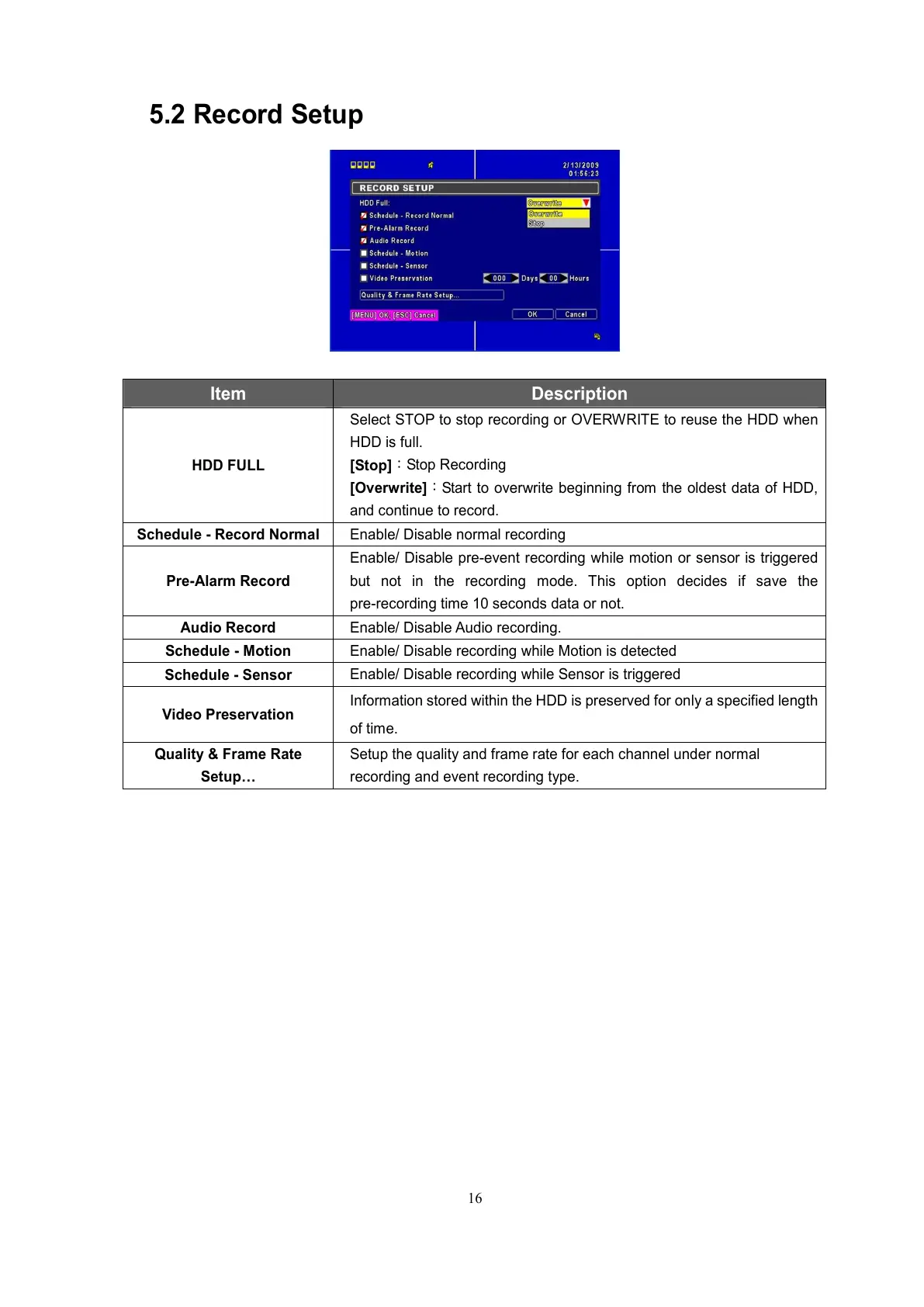
5.2 Record Setup
Item Description
HDD FULL
Select STOP to stop recording or OVERWRITE to reuse the HDD when
HDD is full.
[Stop]
:
Stop Recording
[Overwrite]
:
Start to overwrite beginning from the oldest data of HDD,
and continue to record.
Schedule - Record Normal
Enable/ Disable normal recording
Pre-Alarm Record
Enable/ Disable pre-event recording while motion or sensor is triggered
but not in the recording mode. This option decides if save the
pre-recording time 10 seconds data or not.
Audio Record
Enable/ Disable Audio recording.
Schedule - Motion
Enable/ Disable recording while Motion is detected
Schedule - Sensor
Enable/ Disable recording while Sensor is triggered
Video Preservation
Information stored within the HDD is preserved for only a specified length
of time.
Quality & Frame Rate
Setup…
Setup the quality and frame rate for each channel under normal
recording and event recording type.



 To Next Page