You can setup independently for each channel.
Mask
Check the box to Enable/ Disable mask function for LIVE mode
Brightness
Drag the white bar or press ◀ ▶ to adjust Brightness of your camera from
value 1 to 255. The default value is 128.
Contrast
Drag the white bar or press ◀ ▶ to adjust Contrast of your camera from
value 1 to 255. The default value is 128.
Saturation
Drag the white bar or press ◀ ▶ to adjust Saturation of your camera from
value 1 to 255. The default value is 128.
Hue
Drag the white bar or press ◀ ▶ to adjust Hue of your camera from value 1 to
255. The default value is 128. (This function is ineffective in PAL system).
Name
Set up name of each channel.
Volume
Select to adjust audio volume for CH1 to CH 4 under LIVE mode and
recording mode.
5.6 Account Setup
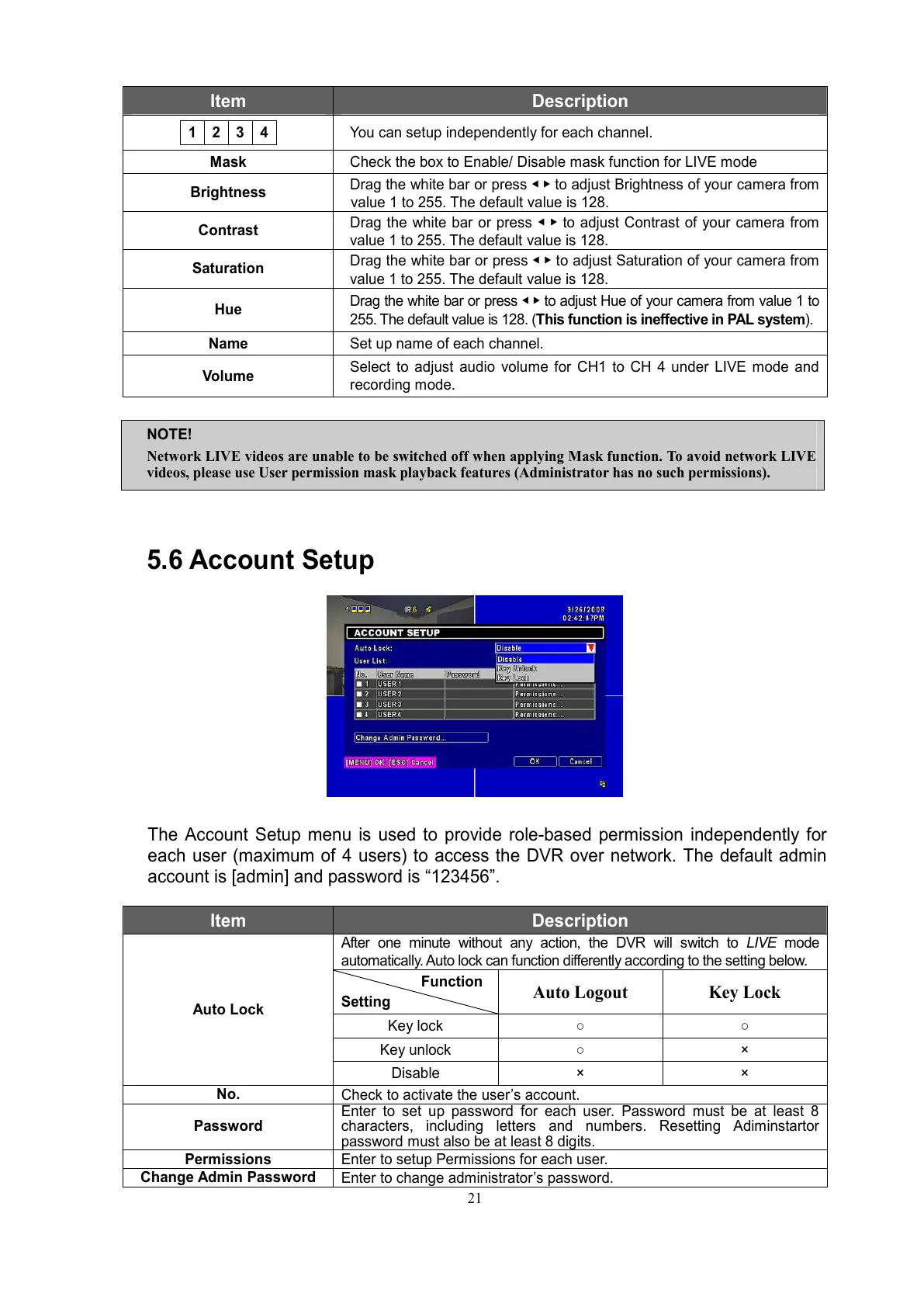
The Account Setup menu is used to provide role-based permission independently for
each user (maximum of 4 users) to access the DVR over network. The default admin
account is [admin] and password is “123456”.
Item Description
After one minute without any action, the DVR will switch to LIVE mode
automatically. Auto lock can function differently according to the setting below.
Function
Setting
Auto Logout Key Lock
Key lock ○ ○
Key unlock ○ ×
Auto Lock
Disable × ×
No.
Check to activate the user’s account.
Password
Enter to set up password for each user. Password must be at least 8
characters, including letters and numbers. Resetting Adiminstartor
password must also be at least 8 digits.
Permissions
Enter to setup Permissions for each user.
Change Admin Password
Enter to change administrator’s password.
NOTE!
Network LIVE videos are unable to be switched off when applying Mask function. To avoid network LIVE
videos, please use User permission mask playback features (Administrator has no such permissions).



 To Next Page