18
5.3.1 Motion Setup
Item Description
Motion Detection Check the box to Enable/ Disable Motion Detection for all channels.
Motion Popup
Check the box to Enable/ Disable popup screen function for all channels.
When motion is detected in LIVE mode, the detected channel image will
popup in full screen display.
1
You can setup independently for each channel.
Selected Channel Turn Check the box to Enable/ Disable motion detection for each channel.
Object Size
Drag the white bar or press ◀ ▶ to set up Object Size from value 1 to 15
for each channel. The lower value you set the higher sensitivity it will be.
Sensitivity
Drag the white bar or press ◀ ▶ to set up Sensitivity from value 1 to 15 for
each channel. The lower value you set the higher sensitivity it will be
Motion Area Setup Enter to setup motion detection area
5.3.1.1 Motion Area Setup
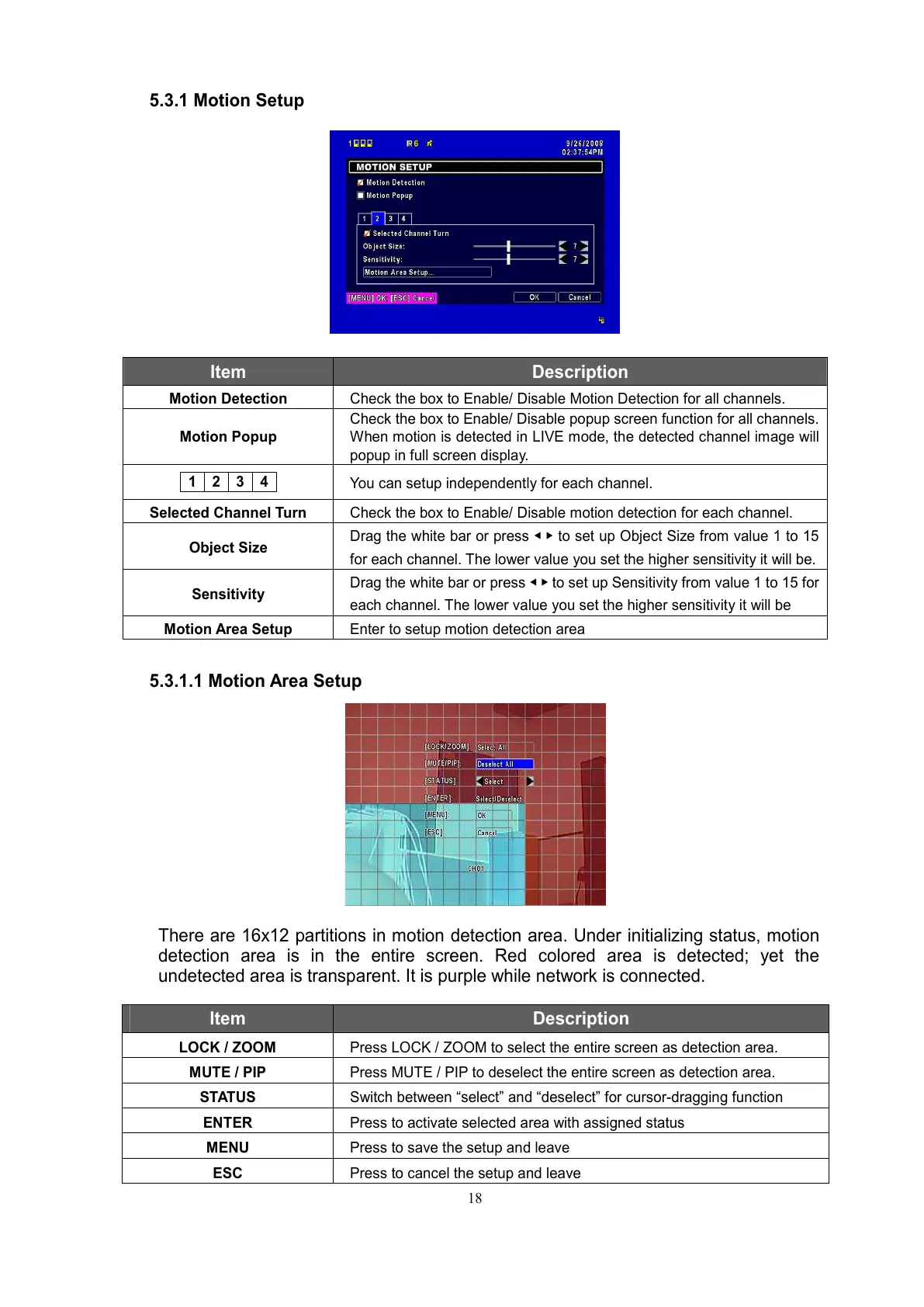
There are 16x12 partitions in motion detection area. Under initializing status, motion
detection area is in the entire screen. Red colored area is detected; yet the
undetected area is transparent. It is purple while network is connected.
Item Description
LOCK / ZOOM Press LOCK / ZOOM to select the entire screen as detection area.
MUTE / PIP Press MUTE / PIP to deselect the entire screen as detection area.
STATUS Switch between “select” and “deselect” for cursor-dragging function
ENTER Press to activate selected area with assigned status
MENU Press to save the setup and leave
ESC Press to cancel the setup and leave



 To Next Page