39
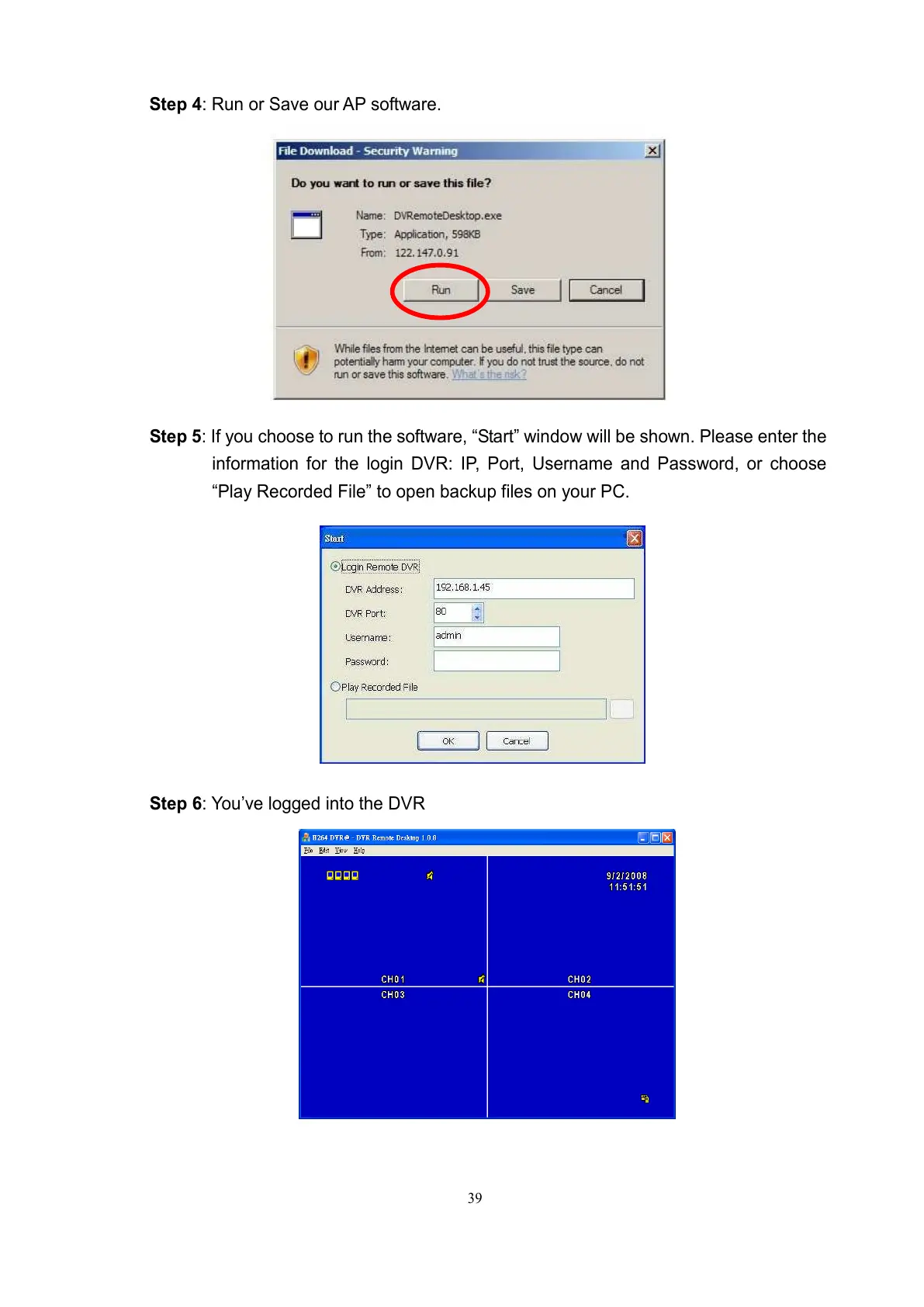
Step 4: Run or Save our AP software.
Step 5: If you choose to run the software, “Start” window will be shown. Please enter the
information for the login DVR: IP, Port, Username and Password, or choose
“Play Recorded File” to open backup files on your PC.
Step 6: You’ve logged into the DVR



 To Next Page