7
• The “DISCHARGE” will be displayed on the
LCD.
• After the discharging completed, charge
process will start automatically and the
“DISCHARGE” will disappear, then charging
indicator will go solid orange.
Note: It takes about 3 hours to fully charge battery.
Battery life is 300 full charges. Contact your dealer
for replacing battery.
2-3. Checking battery level
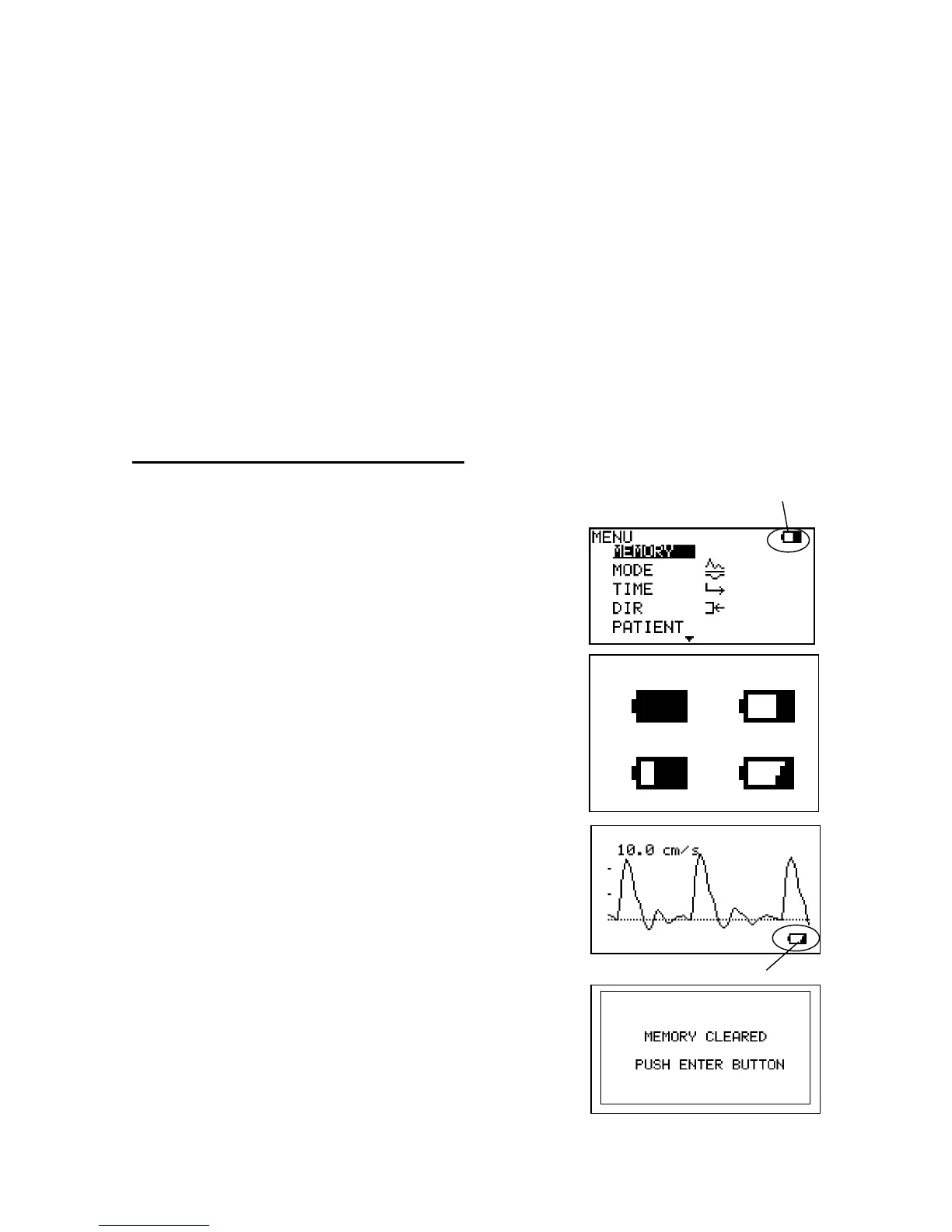
Battery level indicator shows upper right of the menu
screen.
(1) Turn the unit on and press Enter button to display
the menu.
(2) Battery level indicator shows the battery level in 4
steps as shown right.
(3) Charge the battery when in low.
Low battery indicator
When the battery is low, the low battery indicator will
be shown on bottom right of LCD. Recharge the
battery.
See "2-2. Charging / Discharging Battery"
If battery gets extremely low, the message shown
right will appear upon turning it on to indicate
memory data have been cleared for waveform data,
Battery level indicator
Low battery indicator
70%
Full
Low
30%



 To Next Page